


Dash Cam Installation In A Hybrid Vehicle
Choose the right power connection for driving and parking recording in your hybrid
Hybrid vehicle dash cam installation
Yes, a dash cam can work in a hybrid. The useful question is how to power it in your particular vehicle, especially if you want it to record while parked. A regular hybrid and a plug-in hybrid can have different accessory-power behavior, even when their dashboards look similar.
BlackboxMyCar helps match the camera, power cable and installation method to the vehicle. Start with the year, model and powertrain, then decide whether you need driving recording only or parking coverage too. For a fully electric vehicle, see our EV installation guide and EV parking considerations.
Understand the two electrical systems
A hybrid combines an engine and an electric drive system. Its traction battery is separate from the low-voltage accessory supply used for a suitable dash cam installation. Never connect a dash cam to high-voltage wiring, the traction battery or a service plug. High-voltage components require qualified hybrid-system personnel; a dash cam installation is not a reason to access them.
Our January 2024 video explains general fuse-tap and battery-pack installation. It does not identify a suitable circuit for every hybrid. Use the exact vehicle, cable and battery instructions before choosing a connection.
Video corrections: at 3:15, the two fuse-protected branches should operate in parallel with the tap correctly oriented; the video’s series explanation is wrong. At 4:22, the demonstrated tap’s added-device fuse belongs in the position farther from its blades. The near-blade position is for the original circuit’s fuse. Follow your own tap’s diagram and use the corrected written fuse-tap guide rather than copying an empty slot or fuse position from the video.
What changes in a hybrid?
The low-voltage battery still matters. A charged traction battery does not guarantee that the vehicle can start with a discharged accessory battery. The 2024 Toyota RAV4 Hybrid manual says its 12-volt battery recharges automatically while the hybrid system is operating. Its accessory outlet has separate model-specific ACC/ON rules, so do not treat an energized socket as proof that the hybrid system is recharging the battery.
Do not use engine noise to decide whether power is available. A hybrid can be ready to drive while its gasoline engine is stopped. Check the vehicle’s indicators and accessory instructions. Never leave it running unattended just to charge a dash cam battery.
Parking duration depends on the accessory battery’s condition and charge, temperature, other vehicle loads, the camera’s consumption and cutoff settings. It cannot be predicted from the word “hybrid” or a blanket claim that every hybrid has a smaller battery.
Driving recording only
A compatible power adapter in a socket that switches off with the vehicle is the simplest starting point. Confirm its actual shutoff behavior and test saved recordings.
Driving and parking recording
Choose a supported hardwire kit, compatible OBD cable or dedicated dash cam battery. Each still needs a vehicle-specific power and compatibility check; none promises unlimited coverage.
Compare the four power options
On a phone, swipe sideways to see all columns
| Method | Useful for | Check first |
|---|---|---|
| 12V socket | Driving recording when the socket is switched | Check the socket rating, shutoff behavior and camera adapter |
| Dedicated battery | A separate stored-energy source for parking | Confirm charging-circuit capacity and vehicle restrictions |
| Hardwire kit | A fixed installation with supported parking control | Verify approved low-voltage circuits, cutoff and cable routing |
| OBD power cable | A plug-in alternative for compatible combinations | Match the exact vehicle, camera, cable generation and mode |
Option 1: 12V accessory socket
For driving-only recording, use the camera’s compatible plug-in adapter in a suitable 12V accessory socket. The socket may switch off immediately, stay on for a delay or remain powered. Test your vehicle rather than assuming the camera stops when you press the power button.
A powered socket does not automatically provide the signal a camera needs to enter parking mode. An always-on socket can also keep drawing from the accessory battery. Do not leave an ordinary adapter connected for extended parking unless the complete arrangement is approved for that use. Learn why parking-mode recording needs a suitable power setup.
For example, the 2024 RAV4 Hybrid manual allows its 12V outlet in ACC or ON and limits accessories to less than 10A at 12V. That rating applies to the named vehicle. Follow your own vehicle’s outlet limit.
The Thinkware 12V cable shown is a model-compatible example, not a USB adapter for every brand. Our plug-in installation guide covers this method.

Option 2: Dedicated dash cam battery
A dedicated pack stores energy for parking recording and recharges from a suitable vehicle supply. When configured so its charging input is off while parked, the pack can power the camera from stored energy during that period. This shifts the camera’s recording load off the vehicle supply while parked; it does not remove the need to verify charging input, wiring and model-specific vehicle rules. The pack also needs enough driving time and charging capacity to replenish what you use.
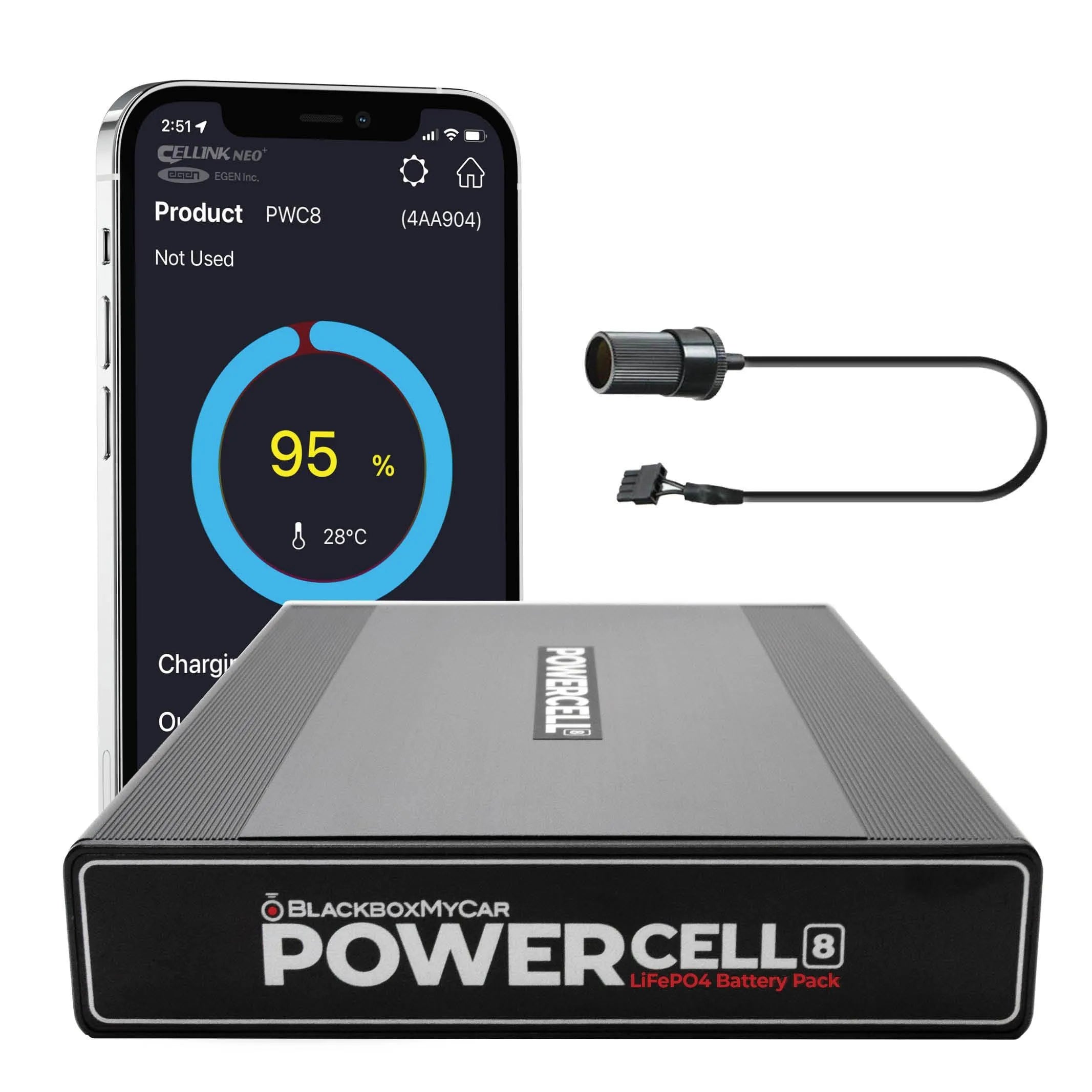
We created our PowerCell 8 for dash cam parking power. It supports its specified socket and ACC hardwire inputs. Follow the matching LOW/HIGH mode and current limits in its manual. A socket connection is not simply a slower version of any hardwired connection: circuit capacity, shared loads and vehicle rules also matter.
Check vehicle charging restrictions: In its 2024 RAV4 Hybrid outlet guidance, Toyota says to disconnect electrical devices with charging functions, such as mobile battery packs, before stopping the hybrid system because they may prevent normal shutdown. That instruction is specific to the named vehicle and outlet use. Check your manual and confirm the pack’s charging input and permitted connection before use.
Use a suitable mounting location, keep the pack and cables clear of seat rails and battery cooling vents, and use the output lead required by your camera. Runtime varies with charge, temperature and camera load; a pack cannot guarantee all-night recording. For alternatives to an older BlackVue B-130X, compare current battery options and read our battery installation guide.
Option 3: Hardwire installation
Hardwiring is an option when the vehicle and camera support an appropriate low-voltage connection. A three-wire kit commonly uses constant power, switched accessory power and ground, but wire colors and required connections vary. Identify the labels on the exact kit and follow its instructions.
Have the selected circuit, fuse-tap fit, permitted load and ground point verified. Do not assume every position in a fuse box is suitable, copy a fuse number from another trim or increase the original fuse rating. Keep wiring clear of airbags and moving parts; the vehicle’s trim and restraint instructions take priority.
If your kit includes a low-voltage cutoff or parking timer, confirm its settings match the kit and vehicle instructions. A cutoff can help limit discharge; it cannot guarantee the vehicle will start, and the camera may stop before the parking period ends. Check recorded files after shutdown and again after normal use.
Our hardwiring guide and fuse-tap instructions explain the general method. A hybrid-qualified installer should handle any circuit or routing question that those general guides cannot resolve.
Option 4: Compatible OBD-II power cable
An OBD power cable can avoid a fuse tap, but having a port is not proof of compatibility. The cable must support the exact vehicle and camera, including the voltage, connector and parking-mode behavior. It still draws vehicle power; the port is not a separate parking battery.
IROAD’s IM-300 replaced the older JW-100 fuel/hybrid and JW-200 EV versions. The newer cable has vehicle-type and recording-mode switches. For an older IROAD OBD cable, ask us to check a suitable power connection using your vehicle, camera model, connector and cable revision. Follow the exact cable manual for switch settings; do not transfer another hybrid’s setting to your vehicle.
IROAD’s IM-300 manual specifies use with IROAD cameras. Before considering a cross-brand connection, such as a Thinkware system, ask us to verify the exact camera, cable revision and vehicle against documented fit information. Connector fit alone is not approval. A 12-24V output is not a universal USB power converter.
Select the supported driving/parking setting, route the lead clear of pedals and verify the camera’s actual mode after shutdown. Existing vehicle exclusions remain relevant, and the compatibility list can change. See the OBD installation guide for the general process.

For a Thinkware camera, confirm the supported cable and vehicle combination with us before selecting an OBD connection.
Plan the installation with BlackboxMyCar
Send us your vehicle’s year, model and hybrid type, the exact camera, your usual drive length and how long you want parking recording. If you already have a hardwire kit, OBD lead or battery pack, include its model and connector photos. That lets us check the parts and explain the tradeoffs before you buy.
If installation involves an unfamiliar circuit, a vehicle warning or uncertainty around hybrid-system components, use a qualified installer. Our installation gallery shows examples, but an example vehicle’s fuse choices do not transfer automatically to yours.
Contact UsVehicle, accessory and installation references
- 2024 Toyota RAV4 Hybrid manual: hybrid precautions and accessory outlets
- PowerCell 8 manual: input modes and installation
- IROAD IM-300 quick-start manual
- IROAD’s IM-300 generation change
- BlackboxMyCar’s current IROAD camera and vehicle fit list
The Toyota example applies to the named model and year. Use your own vehicle manual for the actual installation. The BlackboxMyCar demonstration was published January 13, 2024; its fuse corrections are explained beside the player.