Skip to content
SKU PC8-Socket-1EBatt

BlackboxMyCar PowerCell 8 LiFePO4 Bluetooth Dash Cam Battery Pack

Availability:
in stock, ready to be shipped
Availability:
in stock, ready to be shipped
Availability:
in stock, ready to be shipped
Availability:
Out of stock
Availability:
in stock, ready to be shipped
Availability:
in stock, ready to be shipped
Availability:
in stock, ready to be shipped
Availability:
in stock, ready to be shipped
Availability:
Out of stock
Save 30% Save 24%
Original price $535.99
Original price $535.99 - Original price $585.99
Original price $535.99
Current price $409.99 CAD
$409.99 - $409.99
Current price $409.99 CAD
Best Price Guaranteed
Select Output Cable
Every order includes:

Chat with an expert

Talk to a dash cam expert before you order.

BlackboxMyCar PowerCell 8 Dash Cam Battery Pack

Our PowerCell 8 gives your dash cam its own 96Wh LiFePO4 battery for parking recording. We'd recommend it when you want a dedicated parking-power supply that recharges while you drive. Check the charge from your phone and choose the output cable for your camera; a compatible extension pack can add capacity for longer parking.

96Wh Capacity

Two Input Options

Bluetooth App

5V USB Output

Expandable

Give your parked camera its own power

With an ignition-switched installation, the PowerCell 8 supplies your camera's parking power from its own battery instead of drawing directly from your vehicle's starter battery.

The reference 2CH setup runs for about 24 hours. Your camera's power use, settings and starting charge determine the actual runtime.

Check the battery without reaching under the seat

Connect over Bluetooth with the Cellink NEO Plus app to check charge level, temperature and charging status. The app also estimates remaining time based on your camera's power use, so you can see how much parking power is left.

Cellink NEO Plus battery status displayed on a phone inside a vehicle

Connect the vehicle input and camera output

The vehicle input charges the battery; the camera connects separately to its output. Both input cables are included. Use LOW with the cigarette socket cable or HIGH with a suitable hardwired, ignition-switched ACC connection.

Set the pack to OFF before connecting cables. Our battery installation guide explains the setup choices. The 5V USB outlet can also power a mobile device, using the same battery reserve.

Choose the socket, unspliced or brand-specific camera output for your exact dash cam and parking trigger. Some cameras need an ACC signal as well as power. Check our camera output cable guide or ask our team before ordering.

PowerCell 8 connection panel showing expansion, switch, USB, camera output and vehicle input

Recharge while you drive

A suitable hardwire installation charges the PowerCell 8 in approximately 50 minutes in nominal 9A mode. Socket charging takes approximately 100 minutes in nominal 5A mode using LOW.

These reference times cover the main pack. Vehicle supply, starting charge and extension packs affect charging time, so a short trip may not replace all the power used while parked.

Add capacity for longer parking

If you regularly need more parking time, add a compatible Cellink NEO Extended Battery Pack. The current extension adds 6,800mAh / 87.04Wh, while your PowerCell 8 continues to handle charging and camera power.

Connect through IN/OUT (Auto) and check the combined capacity in the app. More capacity also takes longer to recharge; the connection steps are in the FAQ below.

PowerCell 8 and original Cellink NEO Extended battery pictured together inside a vehicle
What's Included
  • BlackboxMyCar PowerCell 8 battery pack
  • Input hardwiring cable
  • 12V cigarette socket input cable
  • One each of the 20A ATO, low-profile, Micro2 and Mini add-a-fuses
  • One output cable matching the selected variant
  • 2 Velcro strips
  • User manual
Specifications
Battery Chemistry Lithium iron phosphate (LiFePO4)
Capacity 96Wh / 7,500mAh
Nominal Voltage 12.8V
Charging Input DC12 to 17V; LOW: maximum 8A input; HIGH: maximum 13A input
Battery Charging Voltage / Current DC14.2V; LOW: maximum 4.5A; HIGH: maximum 8.5A
Reference Charging Time Approximately 100 minutes in nominal 5A mode; approximately 50 minutes in nominal 9A mode
Camera Output DC11 to 14.2V, maximum 2A
USB Output DC5V, maximum 2A
Expansion Support Compatible Cellink NEO Extended battery pack via EXT. Battery port
Connectivity Bluetooth with the Cellink NEO Plus app
Dimensions 157mm wide × 207mm long × 39.5mm high
Weight 1.67kg
Warranty 1 year from purchase date
Frequently Asked Questions

Will every dash cam record for 24 hours?

No. About 24 hours is the reference for a 2CH setup, not a fixed runtime for every camera. Power draw, parking settings, starting charge and any USB load affect it. Short trips may not replace all the energy used while parked.

Which charging setting should I use?

Use LOW with the supplied cigarette socket input cable. HIGH is for the supplied hardwire input on a suitable ignition-switched ACC circuit; its charging current can be adjusted in the app. Set the pack to OFF before installation and have the circuit checked by a qualified installer.

What does the hardwire installation require?

Use an ignition-switched fuse location with an original fuse rated at least 10A, the appropriate add-a-fuse and a sound chassis ground. This connection charges the battery; the camera uses the battery's separate output. Follow the exact manual and our battery installation guide.

Will it keep drawing from my car battery while parked?

With an ignition-switched installation, vehicle charging stops when the ignition is off and the PowerCell 8 powers your camera. A permanently powered socket or constant-power fuse can keep drawing from the vehicle battery. Confirm that your chosen input switches off with the ignition.

Which camera output cable should I select?

Match the cable to your exact camera and its parking trigger. Some cameras need an ACC signal as well as power. Check the output cable guide or ask our team to confirm the option.

How do I add the current 6,800mAh extension?

Use the extension's supplied transfer cable to connect its IN/OUT (Auto) port to the PowerCell 8 EXT. Battery port. The app should update the capacity automatically: one extension gives a nominal 14,300mAh total; two give 21,100mAh. Check the displayed total after connecting. If it has not updated, follow the app instructions or contact support.

Should I change the app password?

Yes. Change the default password, 1234, after purchase. Choose four digits from 0001 to 9999; 0000 is not allowed. Keep a retrievable record and contact support if you forget it.

What should I know about heat and mounting?

Install the pack in a dry, ventilated location away from direct heat and moving seat mechanisms. Leave room for the connectors and cable bends. The manual’s 80°C internal protection cutoff is a fault-protection threshold, not a normal operating-temperature rating.

What warranty and return terms apply?

The PowerCell 8 carries a one-year warranty from purchase. See our warranty, returns and exchange policy for coverage, return conditions and how to request support.

Resources
  • 5 stars: 75 (80%)
  • 4 stars: 8 (9%)
  • 3 stars: 0 (0%)
  • 2 stars: 2 (2%)
  • 1 star: 9 (10%)
Some of the reviews shown are from related products the merchant grouped with this one.
C
Customer (Santa Ana, US)
Works Perfectly with Blackvue!

I bought this to pair up with my BlackVue DR970X-2CH Plus II. It works flawlessly. I hardwired the PowerCell 8 to my vehicle - 18 Mazda CX-9. It charges completely in about 30-35 minutes of intermittent driving. I ordered this battery pack with the unspliced power output cable and spliced it with the BlackVue hardwiring kit. I set up my dash cam's parking mode to time lapse. The battery pack manages to keep powering the dash cam overnight without dying. It is about 35% in the morning when I start my vehicle. I needed a battery pack that would maximize my dash cam's parking mode - this definitely does that.

Thanks for the detailed review! We’re glad to hear the PowerCell 8 has been working flawlessly with your BlackVue setup and providing the overnight parking coverage you were looking for. It’s great to know the charging performance and runtime have been meeting your expectations in your CX-9.

H
Hollie (Vancouver, CA)
signature bundle VIOFO A229Plus-2CH + blackbox my car powercell 8 batter pack

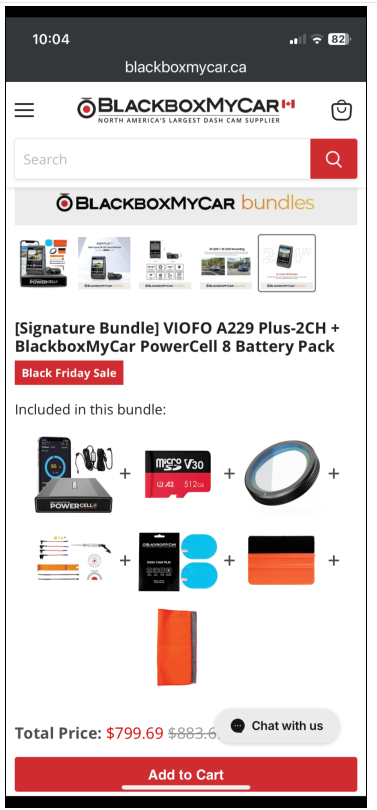
BEWARE. ADVERTISING DISCEPTION. I place the order for a $799.00 bundle to include the dashcam the order went is minus the dashcam and charged the bundle price. when I found out they said they were out of stock on dash cam and the system shouldnt accepted my order but did and then changed the bundle pricing and wouldn't give me the dashcam. I have heard from other people they do this alot and then blame their online software had a gliche. :(

P
Phuong N. (Perkasie, US)
Would not recommend

I bought 2 power cell 8 along with 2 thinkware cameras for my sister and me in December 2022. When I bought it, I also buy the extended warrantee for my peace of mind. After a year, both the batteries became mal-functioned. When the u1000 was connected to the battery, the cameras kept staying in parking mode while driving. Also, one of the battery’s input cable doesnt even supply power when connect to the car. I contacted Blackboxmycar hoping they could help me with the issues. They are now saying that since the cables are considered accessories. The warrantee basically invalid. I paid 1000 for 3 years warrantee. I don’t understand how cables are considered accessories when there is no way for the battery to be usefull without the cable. I paid a heftic amount for the battery and the included warrantee and now am put in the situation of not knowing what to do with the two batteries

P
Phuong N. (Perkasie, US)
Would not recommend

I bought 2 power cell 8 along with 2 thinkware cameras for my sister and me in December 2022. When I bought it, I also buy the extended warrantee for my peace of mind. After a year, both the batteries became mal-functioned. When the u1000 was connected to the battery, the cameras kept staying in parking mode while driving. Also, one of the battery’s input cable doesnt even supply power when connect to the car. I contacted Blackboxmycar hoping they could help me with the issues. They are now saying that since the cables are considered accessories. The warrantee basically invalid. I paid 1000 for 3 years warrantee. I don’t understand how cables are considered accessories when there is no way for the battery to be usefull without the cable. I paid a heftic amount for the battery and the included warrantee and now am put in the situation of not knowing what to do with the two batteries

L
Le T. (Dickinson, US)
Good external

Good no need to use car battery.

R
Ralph H. (Tuscaloosa, US)
Perfect Setup and No-Brainer. Just bite the bullet and buy it.

After watching tons of videos on Youtube, reading reviews.. I will give you the summary. Done this for 2 of my cars and plan on doing it to my third. In todays world you gotta have dashcams to help protect yourself from the he-said she-said during car wrecks. As I told my wife hopefully we won't have a wreck, but peace of mind and a setup where you can set it and forget it. Automatic, doesn't drain your car battery, switches from normal mode to parking mode, etc...

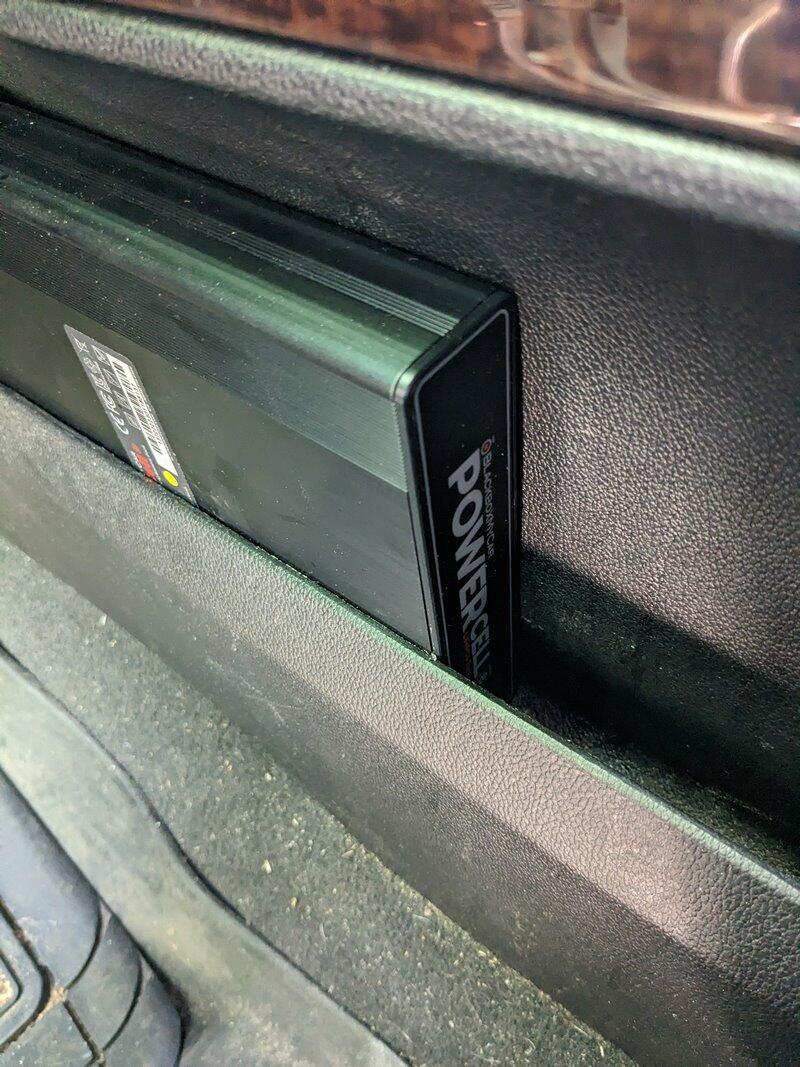
This is the way to go. You want this Blackboxmycar "BBMC" Powercell 8 battery paired with your camera. Side note my dash cam recommendation is VIOFO A139 PRO 4k (I went with 3-channel version). BBMC makes it easy to order the USB-C hardwiring kit pre-spliced. Simply install your dash cam and put your powercell where you want it, run your cables. They include the Add-a-fuse for you to easily pair Positive with IGN in fuse box (black/negative pairs to metal nut nearby on chassis.. You could use the 12V cig adapter, but its clean having wires tucked away and out of site. I had a little side area I never use next to middle console in truck where I tucked the battery. In other car I put battery under carseat.

Make sure to tell BBMC after you order it that you're ok waiving signature requirement because the normal method is they require signature confirmation.

Overall 5 stars.

R
Ralph H. (Tuscaloosa, US)
Perfect Setup and No-Brainer. Just bite the bullet and buy it.

After watching tons of videos on Youtube, reading reviews.. I will give you the summary. Done this for 2 of my cars and plan on doing it to my third. In todays world you gotta have dashcams to help protect yourself from the he-said she-said during car wrecks. As I told my wife hopefully we won't have a wreck, but peace of mind and a setup where you can set it and forget it. Automatic, doesn't drain your car battery, switches from normal mode to parking mode, etc...

This is the way to go. You want this Blackboxmycar "BBMC" Powercell 8 battery paired with your camera. Side note my dash cam recommendation is VIOFO A139 PRO 4k (I went with 3-channel version). BBMC makes it easy to order the USB-C hardwiring kit pre-spliced. Simply install your dash cam and put your powercell where you want it, run your cables. They include the Add-a-fuse for you to easily pair Positive with IGN in fuse box (black/negative pairs to metal nut nearby on chassis.. You could use the 12V cig adapter, but its clean having wires tucked away and out of site. I had a little side area I never use next to middle console in truck where I tucked the battery. In other car I put battery under carseat.

Make sure to tell BBMC after you order it that you're ok waiving signature requirement because the normal method is they require signature confirmation.

Overall 5 stars.

R
RplusH (Queens, US)
Charges FAST

Received the unit with ~50% battery and was able to go 100 in about 20 minutes with the hardwire method.

Instructions for the hardwire says to tap into interior fuse box but I feel like that would not be ideal as this PowerCell will draw 9-10A when charging. It may over-load the circuit that you're tapping into. Luckily for me, I already had a 4AWG power wire coming from the engine bay for my sound system so I was able to hardwire into my distribution block near my Amplifier and used a relay that was wired to an ACC in the interior fuse box as the switch. This is a much safer method to charge the PowerCell via hardwire.

F
Fred C. (Dallas, US)
Not the bees knees, but glad I have it

It just does the job it's supposed to do. Although it extends parking surveillance, by quite a while, it's still just a battery, and you can still drain it. I especially do this at home when I'm parked at home over the weekend. I really should have gone for the Thinkware Radar module.

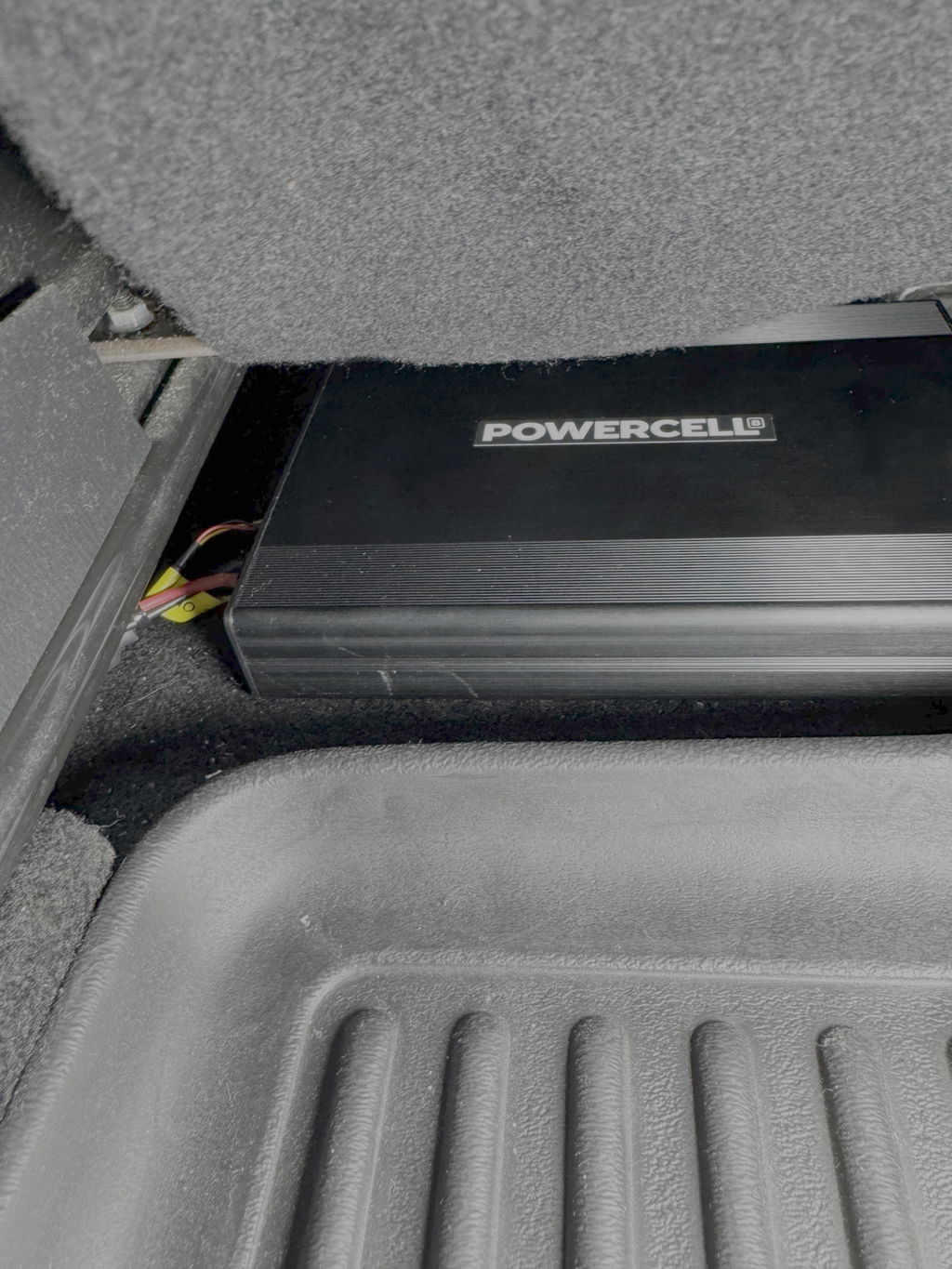
Build quality is good, and installation was easy. I only had one place to put it, under the passenger seat, but that worked well in my 2019 Jetta.

The CellinkNeoPlus App does a great job of giving you batter information. I wish the Thinkware Software could work so well.

F
Fred C. (Dallas, US)
Not the bees knees, but glad I have it

It just does the job it's supposed to do. Although it extends parking surveillance, by quite a while, it's still just a battery, and you can still drain it. I especially do this at home when I'm parked at home over the weekend. I really should have gone for the Thinkware Radar module.

Build quality is good, and installation was easy. I only had one place to put it, under the passenger seat, but that worked well in my 2019 Jetta.

The CellinkNeoPlus App does a great job of giving you batter information. I wish the Thinkware Software could work so well.

C
Customer (Sellersburg, US)
To buy or not to buy the Power Cell 8 additional

To buy or not to buy the Power Cell 8 additional battery!

Thanks for the review, Mark! We’re glad you chose the PowerCell 8 and hope it gives you the extra parking mode runtime and peace of mind you were looking for.

Update: Mark followed up with us after our response to let us know the PowerCell 8 has now been professionally installed and has successfully extended his parking mode runtime while addressing his other concerns. We really appreciate the follow-up, Mark, and we’re glad everything is working well so far!

C
Customer (San Fernando, US)
Definitely a must have when you install a dash

Definitely a must have when you install a dash cam

Thanks for the review, Jorge! We’re glad to hear the PowerCell 8 has been a great addition to your dash cam setup. It’s definitely a must-have for reliable parking mode protection.

C
Customer (Newtown Square, US)
​Excellent performance

​Excellent performance, reliable power, and a straightforward setup. I picked up the PowerCell 8 along with the unspliced power output cable to customize my dash cam hardwire installation. The battery itself works flawlessly—the Bluetooth feature is fantastic for checking battery health and charge percentages without having to dig under the seat or dashboard. If you're looking for a premium, reliable power source for extended parking mode, this is it.

Thanks for the detailed review, Joe! We’re glad to hear the PowerCell 8 is performing flawlessly and that the Bluetooth monitoring has been useful for checking status without accessing the battery directly. Great to know it’s been a reliable solution for your customized parking mode setup.

C
C.

Nice compact unit that i am hooking up to my dash camera.

A
Anonymous (The Bronx, US)
its okay but dies out pretty quickly with my 4ch dash cam

its okay but dies out pretty quickly with my 4ch dash cam.and when i use my car in the morning for short trips battery does not get fully charge leaving no power for my dash cam over night making my car vulnerable to criminals.

Thanks for your feedback. The PowerCell 8 is designed primarily for typical 1 to 2 channel setups, so with a 4-channel system it can drain much faster, especially with short drives that don’t give it enough time to recharge.

For your use case, adding a Cellink Neo Extended battery can help increase overall runtime, and using a power inverter for wall charging can ensure the battery is fully topped up even if your daily drives are short. If you’d like help setting that up, feel free to reach out.

A
Anonymous (Chino, US)
This battery is performing really well

This battery is performing really well. I love the Bluetooth capability for status checking. Great product!

Thanks for the review! We’re glad to hear the PowerCell 8 is performing well and that you’re enjoying the convenience of the Bluetooth status monitoring.

C
Customer (Anaheim, US)
Couldn’t ask for a better battery system and will be shopping again in the future

Couldn’t ask for a better battery system and will be shopping again in the future.

Thanks for the review, Kevin! We’re glad to hear the PowerCell 8 has been a great fit for you. We really appreciate your support and look forward to helping you again in the future.

C
Customer (Upper Marlboro, US)
MUST HAVE

Luv it! It gives my dash cam life when my vehicle is turned off!

Thanks for your review! We’re glad to hear you’re loving the PowerCell 8 and that it’s keeping your dash cam running when your vehicle is turned off.

S
Stephen

while it’s an older unit, it seems solid and reliable and safe and so far has been performing great

The wiring harness options available are helpful. I chose the Direct harness. Some of the cabling could be reinforced a little bit more but overall it’s functioning great and it fits perfectly in the center console of the car tucked out of the way. The Bluetooth app seems stated and delayed but functional honestly rarely check it as it seems to work well overall happy with the purchase and Pickup here locally in Richmond

C
Customer (Hartselle, US)
A powerhouse with great support, easy install & ability to expand

I reached out to BBMC to find out what I would need based on what system I had and wanted to do with it. The staff was quick to reply with a suggestion and include links on a lot of information from specs, install, parts, what to expect etc. It got to the point and was informative enough to make a decision. I received everything as promised and it was a very simple self install. From day 1 for about 3 weeks I ran the system at max draw to test out the limits and the Powercell8 did not disappoint. I was able to run a 3 ch Viofo A329S system with a hk6 hardwire kit for over 24 hours straight and still have power left. I currently run it 12 hours continuous which only draws it down about 45-55%, drive for 30 to 40 minutes which easily charges back to 100%. If I leave it parked over the weekend with nothing drawing on the battery it tends to drop 1-3% a day as the bluetooth used to connect to their app doesn't turn off but cycles. The app isn't much but you can check the %, turn on/off an audible beep to let you know without looking its charging and adjust the charging amps up to 9. The Powercell8 is a powerhouse and can be daisy chained into another battery pack which also shows up in the app. Another great feature is with this you don't have to worry about coming out to a no start vehicle and it has a usb port so you can run led lights, charge your phone etc. Overall I am very satisfied with its performance and the staff at BBMC. I highly recommend it if you want solid parking mode.

Thanks for your detailed review, Thomas! We’re glad to hear the PowerCell 8 has exceeded your expectations and that our team was able to help you get everything set up smoothly. It’s great to know you’re getting excellent performance and reliability from your system.

C
Customer (New Orleans, US)
So far the Powercell 8 has been great

So far the Powercell 8 has been great. This is exactly what I needed for the parking mode feature without putting so much strain on my car battery.

Thanks for your review, Willie! We’re glad to hear the PowerCell 8 has been working great and providing reliable parking mode power without putting extra strain on your car battery.

P
Paul G. (Bluffton, US)
My 5 Month Review

I’ve used the Powercell 8 for 5 months and I regret my purchase. When I park my car in the garage the battery discharges completely in less than 3 days even with my Dash Cam unplugged from the Powercell. I contacted support at Black Box My Car and was told this is normal because the Powercell uses Blue Tooth to connect to the app and Blue Tooth needs power to function. Five years ago I purchased a Powercell for my prior DashCam and the Powercell would loose approx 5% per day with the DashCam turned off. I will never buy another PowerCell. In addition the app will only connect with the Powercell when I am next to my car with the door open. BTW - Black Box My Car has bEEn a big help with my issue. They even contacted the manufacturer to see if there was something I could do to make the PowerCell last longer.

Loading add-ons...