Skip to content
SKU TW-U3000Pro-1

Thinkware U3000 Pro 1CH 4K 30FPS with Hardwiring Kit

Availability:
In stock
Save 9% Save 9%
Original price $579.99
Original price $579.99 - Original price $579.99
Original price $579.99
Current price $529.99 CAD
$529.99 - $529.99
Current price $529.99 CAD
Sale ends November 19th, 2026
Every order includes:

Chat with an expert

Talk to a dash cam expert before you order.

Thinkware U3000 Pro 1CH: 4K Front Dash Cam with Hardwire Kit

The Thinkware U3000 Pro 1CH records the road ahead in 4K with a Sony STARVIS 2 sensor and built-in radar for parking recording. Choose this front-only kit for a permanent hardwired installation.

A 64GB microSD card and front CPL filter are included. Use the phone app nearby for setup and downloads, or add compatible hardware and service for remote monitoring. This new Thinkware dash cam has a one-year warranty.

4K Front

Sony STARVIS 2

Radar Parking

Built-in GPS

Wi-Fi & Bluetooth

Choose detail or a higher frame rate

The front camera records 3840 × 2160 at 30FPS or 2560 × 1440 at 60FPS. Its Sony STARVIS 2 IMX678 sensor is paired with a 147° diagonal lens. Choose 4K for more pixels or 2K at 60FPS for smoother motion.

For a complete front-and-rear package, compare the U3000 Pro 2CH with OBD-II cable.

The overview video covers the U3000 Pro family. Camera views and accessories shown depend on the package and equipment connected.

Match HDR and night settings to the scene

HDR balances exposure in high-contrast scenes. It works during continuous driving recording, with front HDR available at 4K resolution. It is not a parking-mode feature.

Super Night Vision 4.0 is a separate low-light option for driving, parking or both. The manual specifies that HDR and Super Night Vision cannot operate simultaneously. Review day and night clips after changing settings.

The supplied front CPL filter can reduce dashboard reflections. Light, speed, weather and camera angle affect visible detail. The driving video provides a sample of the U3000 Pro family.

Radar reacts to movement around the parked vehicle

The included front camera has built-in radar.

Radar mode saves a 20-second clip when it detects movement. If an impact occurs, a 20-second event can include up to ten seconds of earlier motion footage when that footage exists. It does not provide an unconditional continuous pre-impact buffer.

Metallic window tint can reduce radar detection. Parking duration also depends on the power supply, cutoff settings, temperature and activity. Use the included hardwiring cable with the correct battery, accessory and ground connections. Professional installation is recommended.

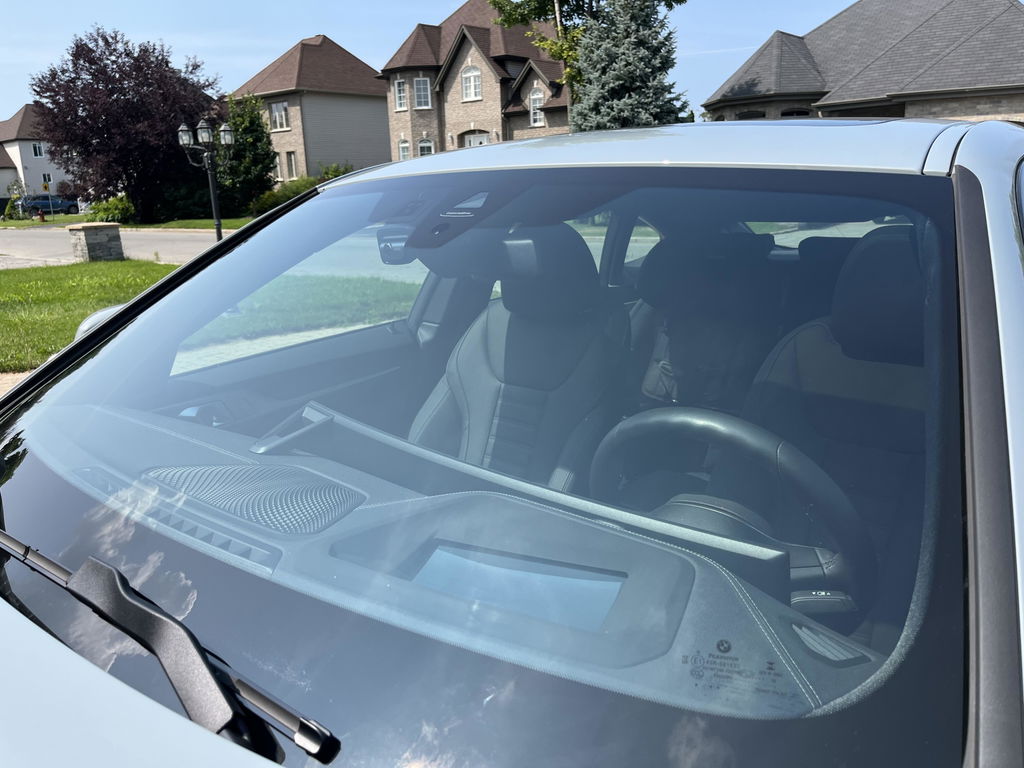
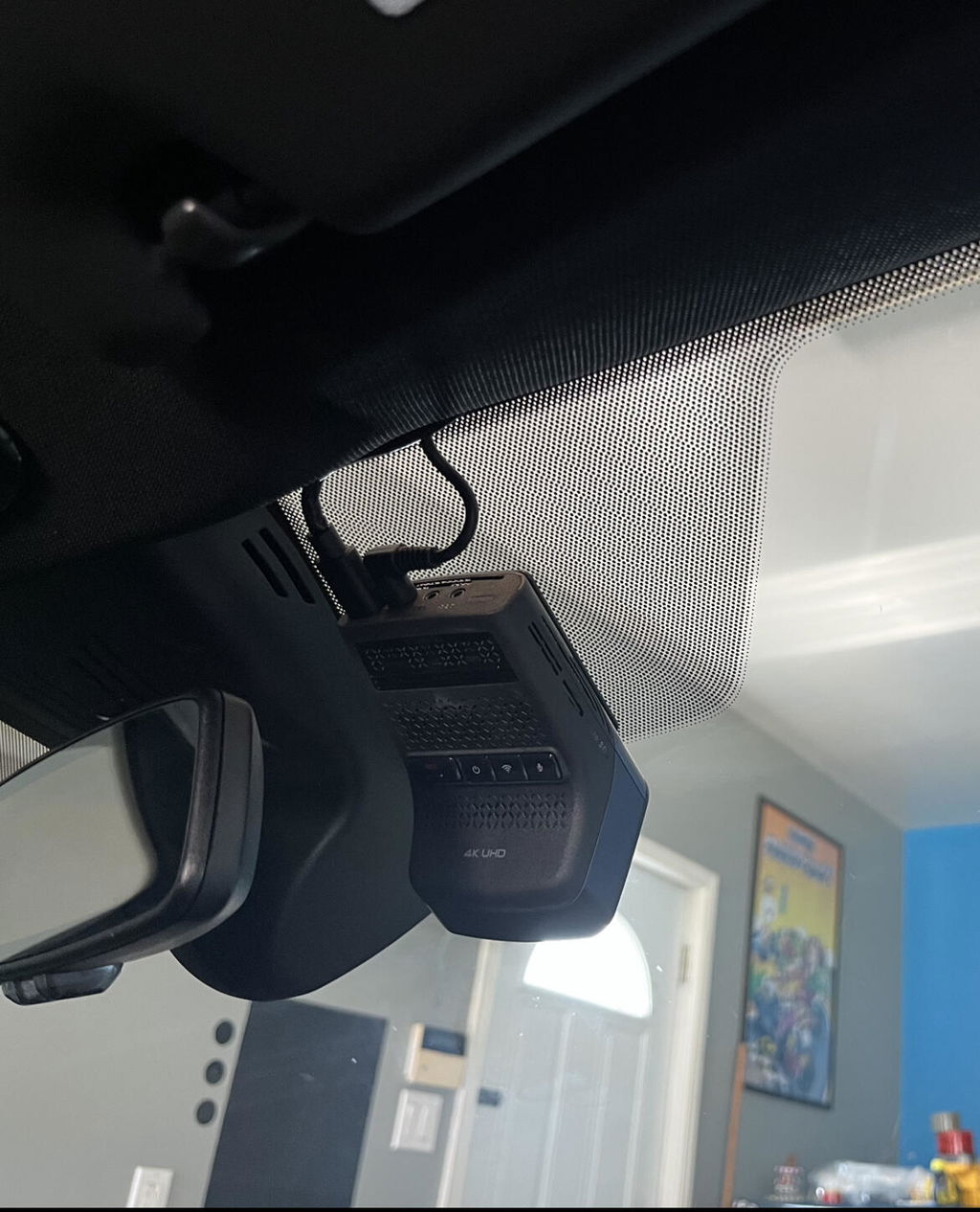
U3000 Pro front camera installed behind the windshield

Choose the parking footage you need

Motion Detection saves a 20-second clip with ten seconds before and ten seconds after motion or impact detection. Time Lapse records at 2FPS: ten minutes becomes a two-minute clip, and an impact saves 50 seconds before and after as a 20-second time-lapse event.

Energy Saving wakes after an impact and records for 20 seconds. It does not capture footage before the impact. Select one parking mode at a time; the manual warns that changing modes deletes recordings made under the previous settings, so back them up first.

A compatible Thinkware iVOLT battery pack provides a separate parking power source. Use the correct cable and installation settings. Smart Parking can reduce power use under certain heat or supported external-battery conditions; it is not a promise of uninterrupted recording.

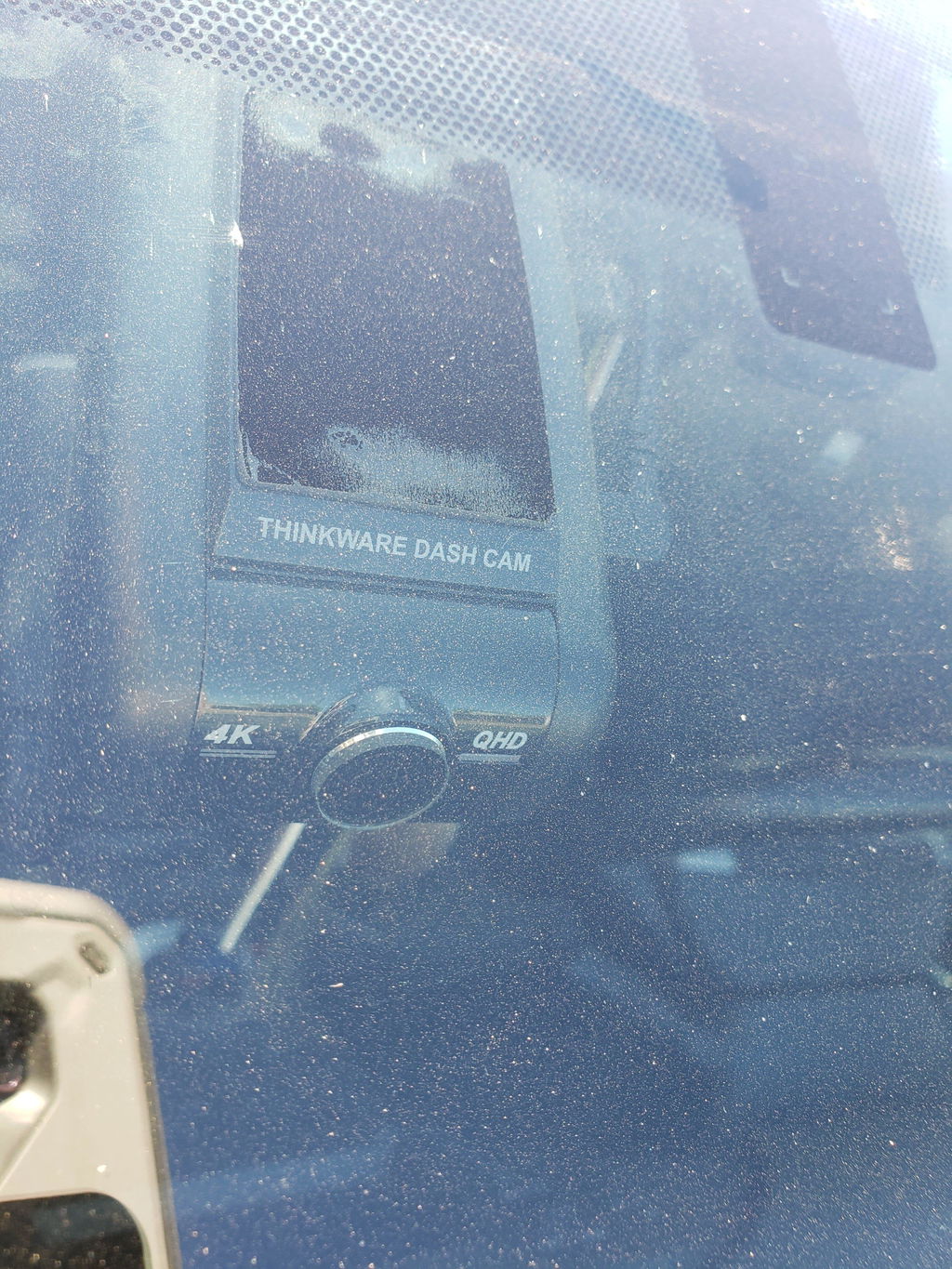
U3000 Pro main camera viewed through the windshield

Pair nearby and check your saved clips

Bluetooth assists phone pairing, and built-in 2.4/5GHz Wi-Fi handles nearby footage access through Thinkware DASH CAM LINK. Use the app to adjust camera settings, check the live view and download saved recordings. This local connection does not need a cellular plan.

Built-in GPS and GLONASS record location information and support driving alerts. Available alerts include forward-collision, front-vehicle departure and traffic-light change notices. They notify the driver and do not control the vehicle.

Keep the app, firmware and supported safety-camera data current. Our dash cam installation guides cover placement and routing; check the saved view after fitting the camera.

Phone pairing screen beside an installed Thinkware dash cam

Add LTE for remote monitoring

The optional Thinkware LTE Module connects the U3000 Pro to Thinkware CONNECTED. Remote live view, supported impact notifications and other connected features require the module, its included Thinkware SIM and supported CONNECTED service, power and network coverage. Nearby Wi-Fi access alone does not provide remote monitoring. On the U3000 Pro, using local Live View, remote Live View or Premium parking-impact Dual Save changes SD-card recordings to QHD (2K).

The installed module shown beside the camera is sold separately. It is not a memory expansion. Available features and service periods depend on the purchased plan and region; check the current module package before ordering.

For SOS recording, the manual describes holding REC for three seconds to save a ten-second clip, including five seconds before and after. Connected upload requires sign-in and a working connection. Set up and test notifications with the parking mode you intend to use.

Optional Thinkware LTE Module installed beside the U3000 Pro; sold separately

Choose a cabin view or the LTE connection

The optional U3000 Pro Interior IR Camera adds 1080p infrared passenger recording. It records during continuous driving mode in one-minute segments; it does not add cabin parking surveillance. The cabin camera has no microphone of its own.

The cabin camera and LTE Module share the U3000 Pro accessory port, so they cannot run together. This front-only kit includes neither accessory.

For rideshare use, position the cabin camera to cover the seats you need and review a saved test clip. Seats and occupants can still block parts of the view.

Optional U3000 Pro Interior IR Camera, sold separately

Manage storage and protect important recordings

The included 64GB card is ready for recording. The camera supports compatible UHS-I microSD cards up to 512GB and saves H.265 video in MP4 files with AAC audio. Playback needs a compatible device or player. Use a suitable replacement memory card and check recording regularly.

Loop recording replaces older files, so export important originals before they are overwritten or the card is formatted. Recording time changes with resolution, connected cameras and storage allocation.

The main unit accepts 12V or 24V through the specified power installation and uses a supercapacitor, not a parking battery. Its operating range is −10°C to 60°C. Thermal protection can alter recording or shut it down in excessive heat.

Thinkware U3000 Pro front camera
What's Included
  • U3000 Pro front camera
  • Hardwiring power cable
  • 64GB microSD card and adapter
  • Windshield mount and spare mounting tape
  • Heat-blocking film
  • Three adhesive cable holders
  • Front CPL filter
  • Warranty and customer-service information
Thinkware U3000 Pro 1CH package contents with hardwiring cable
Specifications
Camera Configuration Front only
Front Resolution 4K 3840 × 2160 at 30FPS; 2K 2560 × 1440 at 60FPS
Front Image Sensor Sony STARVIS 2 IMX678, 8.4MP, 1/1.8-inch type
Front Field of View 147° diagonal
Recording Modes Loop recording; older recordings are overwritten
Display No built-in screen
Connectivity 2.4GHz and 5GHz
GPS Built-in GPS / GLONASS
Parking Mode Radar, Motion Detection, Time Lapse or Energy Saving
Storage Support Compatible 64 / 128 / 256 / 512GB UHS-I microSD
Included Memory Card 64GB microSD
Power Main unit: DC 12 / 24V; Supercapacitor
Operating Temperature −10°C to 60°C (14°F to 140°F)
Dimensions 69.8 × 102.6 × 55.5mm
Warranty 1 year for this new Thinkware dash cam
HDR Continuous driving only; front at 4K
Night processing Super Night Vision 4.0; cannot run with HDR
Radar Built into front camera
Time Lapse 2FPS; ten minutes compressed into two minutes
Included power Hardwiring cable
File format H.265 video / MP4 container / AAC audio
Bluetooth 5.0 / BLE
Location Built-in GPS / GLONASS
Impact sensor Three-axis G-sensor
Phone app Thinkware DASH CAM LINK for nearby access
Remote service Thinkware CONNECTED with optional LTE Module and plan
Accessory port LTE Module or interior camera; not both simultaneously
Mean draw 3.65W for 1CH; actual use varies
Front weight 140.7g
Storage range −20°C to 70°C (−4°F to 158°F)
Frequently Asked Questions

Which cameras and power cable come with this package?

One front camera and a hardwiring cable are included. There is no rear or cabin camera. A 64GB card and front CPL filter are included.

Does the front camera record 4K at 60FPS?

No. Select 4K at 30FPS or 2K at 60FPS. The higher frame-rate option reduces the front resolution to 2K.

When can I use HDR?

HDR is available during continuous driving recording. Front HDR requires 4K resolution. HDR is not available for parking recording.

Can HDR and Super Night Vision operate together?

No. The manual specifies that they cannot operate simultaneously. Super Night Vision 4.0 can be assigned to driving, parking or both; compare saved clips after changing the setting.

Does radar guarantee video from before an impact?

A radar impact event can include up to 10 seconds of earlier motion footage when it exists. For a continuously maintained pre-event buffer, choose Motion Detection instead.

What does Motion Detection save?

It saves 20-second motion or impact clips, including ten seconds before and ten seconds after detection. It is a separate parking option from Radar, Time Lapse and Energy Saving.

How does Time Lapse handle an impact?

It records at 2FPS. An impact event includes 50 seconds before and after detection, compressed into a 20-second clip. Ordinary ten-minute recording periods become two-minute files.

Does Energy Saving capture the lead-up to an impact?

No. It records for 20 seconds after impact detection. Choose an appropriate buffered mode if you need earlier activity.

Can I change parking modes without losing files?

Back up the recordings first. The manual warns that changing parking-mode settings deletes videos recorded under the previous settings.

Will the supplied power cable enable parking recording?

The included hardwiring cable supports parking recording when correctly connected and configured. The battery and accessory feeds must be identified correctly; professional installation is recommended.

How long can it record while parked?

There is no fixed duration for every installation. Power capacity, recording mode, cutoff settings, temperature and detected activity affect runtime. A supercapacitor is not a battery for overnight recording.

Will metallic tint affect radar?

It can. Thinkware warns that metallic tinted glass may reduce radar detection. Check performance after mounting the camera.

Do I need a cellular plan for the phone app?

No plan is needed for nearby DASH CAM LINK access over Wi-Fi. Remote Thinkware CONNECTED services need the separate LTE Module, its included Thinkware SIM and supported CONNECTED service.

Can I connect LTE and an interior camera together?

Choose the optional LTE Module for remote access or the interior camera for passenger footage. Both use the same accessory port, so you can use one at a time. The interior camera records during driving only.

Does the optional cabin camera record while parked?

No. Its infrared cabin footage is recorded during continuous driving mode. It adds no cabin parking view and has no microphone of its own.

What memory cards are supported?

The camera supports compatible UHS-I microSD cards in 64GB, 128GB, 256GB and 512GB capacities. This package includes a 64GB card. Back up important files before formatting or changing parking modes.

What happens if the camera gets too hot?

Thermal protection can reduce recording functions or shut the camera down. The specified operating range is −10°C to 60°C; thermal protection does not make temperatures beyond that range suitable for continuous use.

What warranty applies?

This new Thinkware dash cam has a one-year warranty.

Rear camera, rear cable and OBD-II power cable are not included. LTE Module, service plan, interior camera and battery pack are sold separately.

Resources

Video guides and reviews

  • 5 stars: 197 (85%)
  • 4 stars: 23 (10%)
  • 3 stars: 4 (2%)
  • 2 stars: 6 (3%)
  • 1 star: 2 (1%)
This product has no reviews of its own. The merchant grouped it with related products, so the reviews shown are from across that group.
G
Gerry J. (Killeen, US)
Needed the camera, not radar

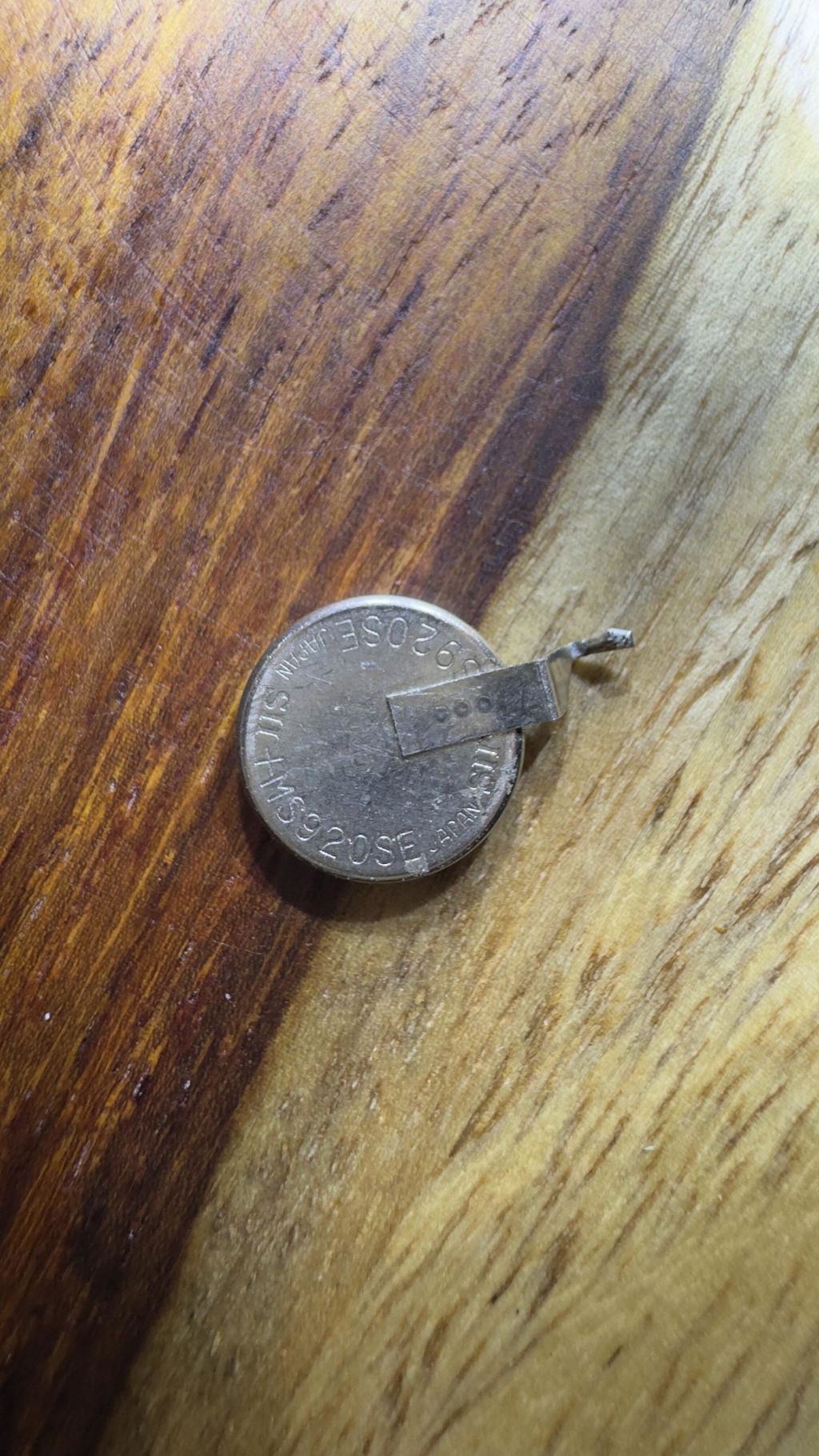
I purchased another Thinkware U1000 to replace a malfunctioning U1000 I purchased back in 2019. The new (replacement U1000) works good, since it is new. I didn't need or want the radar, so I tossed that in the trash. Now that I have an older U1000 camera to disassemble, I learned that there was an internal button battery, MS920SE-FL27E, soldered onto the circuit board. The battery died, so I replaced it and got my original Thinkware U1000 working again. Now I have a spare Thinkware U1000, AWESOME!

Thanks for your review, Gerry! We’re glad to hear your new U1000 is working well and that you’re happy with the setup.

K
Kim (Yuba City, US)
Not worth it!

I bought this March 2022 with a 3 year warranty for $690. It came with the rear cam, radar and obd cable for hybrids. The app is a pain. There was even a point where it recorded nothing but a black screen, had to uninstall and reinstall the app to 'fix' it. Trying to get the app to cooperate in general to get videos was a pain and near makes it not worth buying but when it did work it worked well. The quality of the videos is good but no where as good as advertised. Heat is the biggest issue for this camera. I bought an awning for my car.... for my camera so it would be out of the heat/light. I bought an exterior sunshield even though it defeats the purpose of it recording! I babied the camera to no end! But after LESS THAN TWO YEARS it just died, power is going to the cable but camera. A SEVEN HUNDRED DOLLAR CAMERA BRICKED ITSELF IN LESS THAN TWO YEARS!!!! So much had been going on in my life I forgot where I bought the camera! I went directly to thinkware but it remained a mystery. Then I just randomly came across this site and it all pieced together. I found my account and the reciept. Now I see that this camera is less than half the price!!!! Then I see I bought a 3 year warranty for it only to notice it has expired as of 4 months ago! DO NOT BUY THIS CAMERA! It is a delicate snowflake, this is northern california, not Arizona! I kept it covered all the time which made it pointless to have! This was a poor investment on my part. Do not buy this camera! I'm absolutely furious i spent this much on garbage. I've been so busy with life i vanet even taken it out yet. Would have been nice to get videos of the stalkers, bad drivers and the one car on fourth of July this year that pulled in front of me from a side road and came to a dead stop on the freeway which I had to dodge. Thanks for nothing.

s
sylvain s. (Vaudreuil-Dorion, CA)
Great 4K Dashcam! Low power consumption!

I bought a U3000 because I wanted the one of the best on the market with the new generation STARVIS 2 sensor.
First of all, this Dashcam is smaller than I thought when I opened the package and It fit easily behind your mirror. I am really surprised about video 4K quality for sure, but I notice this Dashcam power consumption is very, very low in parking mode! With PowerCell8 dedicated battery pack 7500mAh, this Dashcam can be powered 8 days in radar parking mode! Amazing! Also there is a lot of settings you can adjust in fonction of your car, your set-up and your needs.
App on phone is fast, no issues, you can see and download your video easily, also computer App works fine, It's just perfect!

J
Jason E. (Denver, US)
Good but

So.... I ordered the fuse tap kit. Thinking it would be just plug and play as I saw on the install videos. Not the case. Apparently have to file the fuse tap housing and the prongs thay fit into the fuse well. I have a 2021 F-150 Powerboost. So buyer beware. I have used the Hotspot feature and it did work very well. Now I have to pay for a professional installer to take full advantage of the U1000 dashcam.

J
Jason E. (Denver, US)
Good but

So.... I ordered the fuse tap kit. Thinking it would be just plug and play as I saw on the install videos. Not the case. Apparently have to file the fuse tap housing and the prongs thay fit into the fuse well. I have a 2021 F-150 Powerboost. So buyer beware. I have used the Hotspot feature and it did work very well. Now I have to pay for a professional installer to take full advantage of the U1000 dashcam.

G
Gary S.
Thinkware U1000 installed in 2021 F250

I chose the Thinkware U1000 over other cams due to the features and the form factor (style) it has. It fits beautifully on my 2021 F250 windshield just to the right of rear view mirror. Install was a breeze, wires were ran easily behind headliner and trim panels. I hooked my U1000 up with only power when ignition is on, it can be hooked with both ignition and constant power. Constant power is used for parking video protection, which I really do not need.
The video quality is amazing.
The one little thing that can be a bit annoying at times is, that when the U1000 is either hooked up to my start phone or is searching for WiFi, I can not use my mobile internet. There is no real reason that my phone needs to be connected via WiFi to the U1000 unless I'm setting the cam settings or reviewing video. Once I start my truck the U1000 will search for WiFi for exactly 10 minutes, during this 10 minutes I can not use my phones internet. Once it stops looking for WiFi my phones internet works fine.

J
Joseph M. (Leesburg, US)
Great product & service

Team was helpful in selecting right dash cam for my car. Went with Thinkware U1000. Easy to install, but if you want to do a pro job yourself then take your time. Test the unit before full install. Use the instructions from Blackboxmycar website. Once you test fit, secure the front cam and start routing cables. I have an SUV, so if you want rear cam wires hidden, take time routing cable through rubber grommet at lift gate/body hinge. I routed using a zip tie, taped to rear cam power cable,then pulled it through. Very clean and professional. You’ll have to remove plastic shrouds but it’s worth it. Get the removal toolkit...it’s definitely worth it. Then full send rear cam cable up front, tucking cables away neatly. Another tip...get some tesa tape, it’s black fabric tape used to tape cable together. Looks pro and keeps wires together when routing from front cam to either fuse box, OBD port, or battery. Black box team helped me in choosing OBD as best power option as my fuse box is in engine bay and too difficult to get to. Using iRoad and works great! Thanks again Blackboxmy car! Jos

Hi Jos, thanks for leaving a review and for shopping with us! Your pictures look great, and thank...

A
Anupam C. (Mississauga, CA)
Great Dash Cam! Not so great purchase experience

A dash cam is definitely worth the investment, this I learnt after last year I got into a fender bender because a vehicle cut in front of me on a snowy day and if I had a dash cam I would not be held partially at fault due to a he said she said situation that it became. So this holiday I saved up and bought the U1000 after watching the reviews from blackboxmycar and Dail2Fast. The Dashcam is great, great image quality, works as expected and I bought it with the Radar accessory and BI750 battery. The build quality of the dashcam is great, I only hope they would make a 3ch model with 1 for the inside of the car.

The battery pack is where the not so great part of purchase experience comes in. I ordered it on cyber Monday expecting it to be delivered in 1-3 business days as advertised. but 5 days after the order the battery showed up as backordered even though it was not when I ordered it. I was told it was due to their inventory mix up and I had to wait 20+ days for it to arrive. Also due to the rush I guess the quality control on the battery pack wasn't that good, the back sticker was falling off when it arrived. About the internals only time will tell as it's new and currently working as expected. If I would have known all this I wouldn't have ordered the battery. Also, the additional CPL filter I ordered did not have the filter in the box. It had everything else like the pamphlet, the microfiber cloth also an empty plastic which I assume should have the filter. Blackboxmycar is investigating the matter. I know these are minor things considering the holiday season and and with the pandemic but overall it took the fun out of the whole experience for me hence I took one star.

Overall I can chalk it up to it being 2020 :(. I would come back for another purchase. I have my eye on the BE-750 :) and will mostly get it if I have a good experience with the battery in the coming months.

Hi Anupam, I'm sorry that you had the not-so-perfect experience with us for that. 2020 was a tough year, but we're working very hard to make sure 2021 will be a better one. We're always working on improving our products and our service, so if you have any questions, please don't hesitate to ask us. Thank you again for leaving the review - here's to 2021!

J
John O. (Vancouver, CA)
Thinkware U1000-2CH upgrade from BlackVue DR650GW-2CH

I got my first dashcam from Alex of Blackboxmycar, I got the Blackvue DR650GW-2CH way back in 2014. I just recently upgraded to the Thinkware U1000-2CH. 4K video quality is really great, the upgrade is really worth and Im really happy with it. My U1000 is paired with the Cellink NEO which I also got from them last year. Blackboxmycar Team is always been great on helping me everytime I needed a Dashcam upgrade for my car.! All the best to the Team!!!

Hi John, thanks for shopping at BlackboxMyCar! Come back anytime if you have any questions.

A
Anonymous (Montrose, US)
The best quality and good

The best quality and good design

Thanks for your review! We’re glad to hear you’re happy with the U1000’s quality and design.

A
Andrew

Fantastic people to deal with and support a local business.

M
MustangT (Richmond, CA)
Best value and best features

Had this u3000 2ch installed in both my cars let me just say it's the easiest to use and best I've ever had. The app is very user-friendly and it even updates the camera for the red light camera locations

S
Sean R. (Surrey, CA)
I wish I could give 0 stars

This company is a complete SCAM! Do NOT buy there products! It’s been an absolute nightmare for me since day 1!! I spent nearly 1000$ on the u3000 back in September 2024. Right out of the box I had SO many issue, but one part of the unit worked as promised. The entire dash cam was completely useless. I mean it wouldn’t record, wouldn’t work for any of the live monitoring, like literally useless. I initially thought it was me so I called Thinkware to get some help setting it up. I spent hours upon hours on the phone with them trying to troubleshoot it, in the end they also couldn’t tell me what was wrong with it and couldn’t get it set up. After some back and fourth (and over 3 months time) they finally agreed to exchange the unit. I wish this is where this nightmare ended, but it’s not. I wait a couple weeks finally got my new camera went to hook it up and yet again had the exact same issue. Got back on the phone with Thinkware spent another 6 plus hours trying to troubleshoot it with them, and again at the end of it all they could not get it set up or tell me what was wrong with it. They then stated they were escalating it to their “level 2 team” and to give them a week and they would have the level 2 team call me. I waited and waited. I got a call from them about 10 days later. The guy on the phone did 0 troubleshooting with me. Asked me to confirm the issue, I did. He then said ok I’ll be in touch. This was January 17,2025. Nearly 4 full months after buying this unit. Here we are now at February 7, 2025. I have been emailing them and getting no response. I have asked multiple times to refund me my money as the unit had not worked since the day I bought it. They continue to ignore my request. Here I am now with a 900$ paper weight and no farther ahead then I was the day I bought it. Do yourself a huge favor and stay away from any products made from this company!!

M
Michael (Denver, US)
Broke after 3 years

My thinkware U1000 front camera and rear cvamera died recently after 3 years. I suggest another companys product

A
Andrew T. (Montreal, CA)
Not worth the price

Lots of issues getting unit setup, front camera has a blue tint. Can't get it to live stream 99% if the time and the one time I was able to it had a 7 second delay. Had an incident and had trouble getting it off the camera. Cloud features I purchased this camera for are just not there. Maybe why it's free. Not a fan of the wiring placement , the large camera cord prevents it from mounting high and flush to mirror enclosure or roofline. Can't get a hold of support to resolve issues. Tempted to send it back but it is what it is for now.

G
George A. (Norcross, US)

I couldn't have purchased a better dash cam. Great value

C
Cindy S. (Wilmington, US)

Love it!

T
Trymaine S. (Grovetown, US)

Great Cam!

K
Kirk P. (Carpinteria, US)
Four Years and going strong.

After four years, both the forward and rear cameras have performed flawlessly. Connectivity and quality of video and audio are equal to first day of use. Haven't found a replacement for the money.

T
Timothy A. (Northbrook, US)
Gets the job done, but chatty and twitchy

Camera itself works well, especially in the front. Camera in back seems to pick up nothing but glare off the back window which blinds most of the image. The WIFI/Bluetooth, when connected to the phone app, crashes and makes inoperative several of my other phone apps like food orders, etc. - you have to disconnect the Thinkware app from the phone to restore full service to all your apps. The camera has a chatty startup that runs annoyingly long. When your phone does connect to the camera, it is not a stable connection and it drops off and on with no particular pattern to it. It's not a plug and play system, and the passwords on top of passwords seems excessive and maddening at times.

B
Brian M. (Missouri City, US)
It's functionally perfect but not without some minor faults.

First off, it's a dash cam and it works great as a dash cam. I'd put them in all vehicles if I could.
Things I'd fix... 1) It talks WAY too much every time it turns on.
2) Turning off the power-on conversation also mutes ALL notifications.
3) The mobile app requires far too many permissions... none which are needed.
4) The PC app and Mobiel app are poorly designed. Developers need to perform the action 50 times before committing to how it's done because it's very cumbersome.

J
Jimmie G. (Houston, US)
U1000

The Thinkware U1000 as worked great for me for years now. The only problem I had with it was the micro SD card was corrupted at one point after a couple of years use. The U1000 kept telling me that. I replaced the SD card and never a problem again. I give it a 10+ score.

R
Richard T. (Zurich, CH)
Blackbox my car

I just purchased a thinkware U3000 for a truck I ordered. I was debating between Blackvue and Thinkware. I immediately went to Blackboxmycar without even looking around. I know the prices are the best and the customer service is second to none. This review is on the Blackboxmycar rather than the unit which I will do when installed.
There is ONLY one place to buy, professional, prices and most importantly customer service. If I could give 10 stars on the service I would.
Keep up the great work!
Richard

Loading add-ons...