


Thinkware U3000 vs. Vantrue N2 Pro
Choose the right views, recording settings and parking-power setup
At BlackboxMyCar, we start with what you need to see when something happens. A passenger dispute and a rear-end collision call for different camera views. The Thinkware U3000 and Vantrue N2 Pro both offer two channels, but they solve different problems. Getting that choice right matters more than comparing feature counts.
This guide compares the original U3000 with the N2 Pro, not the U3000 Pro, N2, N2S or N2X. The N2 Pro has had hardware and firmware revisions. Match the manual, power connector and accessories to the unit you actually own.
Start with the views you need
The U3000 dual-channel kit has separate front and rear cameras. The N2 Pro puts a forward-facing lens and an adjustable cabin lens in one body. Its infrared lights help illuminate the interior at night. A cabin camera does not replace an exterior rear camera.
The U3000 uses an adhesive mount and has no screen. The N2 Pro uses a suction mount and a 1.5-inch display for menus and playback. Its Auto LCD Off setting can darken the screen while recording continues. Set up the view while parked, leaving room for the plug, card and mirror housing.
For rideshare work, decide whether you need the cabin alone or the cabin plus the road behind. Position the camera without obstructing your view or vehicle sensors, and check the mounting, audio-recording and privacy rules where you drive.

Compare the recording configuration, not just the headline resolution

The U3000 dual kit records 4K front and 2K rear video at 30 FPS. Its front camera uses Sony STARVIS 2 technology. The N2 Pro records 1080P at 30 FPS from both the road and cabin lenses together.
The N2 Pro’s 2560 × 1440 at 30 FPS and 1080P at 60 FPS settings are front-only modes. Selecting them gives up the cabin recording. Its infrared cabin footage becomes black and white when the IR lights are on.
We favour the U3000 for higher-resolution road coverage between these two, but we would not promise a readable plate in every scene. Speed, lighting, reflections and mounting affect the result. Check saved daytime and night clips from your installation before relying on them.
A correctly matched CPL filter can help manage windshield reflections. Our Aqua Shield is a separate windshield accessory; follow its fitting instructions and check what your chosen camera package includes.
Parking recording starts with the power connection
The N2 Pro manual describes motion-triggered parking recording and a separate time-lapse setting. It requires continued external power for parking use. Its small internal battery is not an overnight power supply. Do not assume an ordinary vehicle USB port or switched outlet stays powered after you leave.
The U3000 offers several parking modes, including radar. Thinkware requires a suitable hardwire or OBD-II power connection and installation for parking surveillance. Radar can reduce consumption, but the installation, traffic and power source determine how long recording remains available. We do not promise a fixed runtime or that every object will be detected.
Thinkware CONNECTED is unavailable in RADAR Parking Mode. Network functions switch off to save power. Metallic window tint and nearby electronics can also affect radar detection. Thinkware warns that changing parking modes erases parking footage, so back up anything important first.
We created the BlackboxMyCar PowerCell 8 for a dedicated dash cam power setup. Our team can help check the output cable and installation for your camera and vehicle. A battery pack is not a universal plug-and-play match, and it does not make parking coverage unlimited.

Know what GPS, Wi-Fi and driving alerts actually do
The U3000 has built-in GPS, Bluetooth and Wi-Fi. Nearby app access and remote connected features are different: Thinkware CONNECTED needs a supported internet connection and suitable power. Check current service and regional conditions in our Thinkware CONNECTED guide.
The N2 Pro needs an optional GPS mount. GPS is not built into the standard camera mount. With the compatible receiver, its manual describes recording location and speed information and viewing recordings with the manufacturer’s player. It does not provide the U3000’s Wi-Fi or connected-service setup.

The illustration names forward-collision and low-speed forward-collision warnings, lane-departure and front-vehicle-departure warnings, plus speed- and red-light-camera alerts. Its rear-collision warning label describes a tailgating vehicle 5–10 m away for more than five seconds. Those are the illustration’s figures, not confirmed U3000 features or detection limits. Check the exact model’s settings and regional alert database. These systems assist the driver; they do not brake or steer for you.
Make sure the recording is there when you need it
Both cameras use microSD storage and loop recording. Thinkware lists cards up to 256GB for the U3000. Vantrue’s current N2 Pro manual also lists up to 256GB, but its support page warns that older firmware has different limits. Check the exact camera’s firmware and recommended card before buying a larger card.
The N2 Pro can play clips on its display or transfer them to a computer. Its Event folder can overwrite older event clips once that folder reaches its allocation. Locking a clip is not a permanent backup. Copy important front and cabin files somewhere safe before formatting or reusing the card.
A useful question in the N2 Pro community discussion is how to notice a camera that has stopped recording. The thread began in September 2020; individual reports are not a failure-rate study. Our advice is to check a recent saved clip regularly, confirm the timestamp and both intended views, and investigate recording warnings promptly. Back up the card before any troubleshooting step that erases files.
U3000 and N2 Pro: the practical differences
On smaller screens, swipe or scroll sideways to compare both cameras.
| Feature | Thinkware U3000 | Vantrue N2 Pro |
|---|---|---|
| Two-channel views | Road ahead and road behind | Road ahead and cabin |
| Two-channel recording | 4K front + 2K rear at 30 FPS | 1080P front + 1080P cabin at 30 FPS |
| Front-only alternative | 4K at 30 FPS or 2K at 60 FPS | 1440P at 30 FPS or 1080P at 60 FPS |
| Screen and mount | No screen; adhesive mount | 1.5-inch LCD; suction mount |
| GPS | Built in | Optional compatible GPS mount |
| Parking options | Radar and other selectable parking modes | Motion-triggered parking; separate time-lapse setting |
| Parking power | Suitable hardwire or OBD-II installation | Suitable continuous external power |
| Radar | Parking detection; not a radar detector | No built-in radar |
| Remote access | Conditional CONNECTED setup; unavailable in RADAR mode | No equivalent connected-service setup |
| Card capacity | Up to 256GB; use recommended cards | Up to 256GB with supported firmware; check older units |
| Event recording and audio | Impact recording; microphone and speaker | G-sensor event recording; microphone and speaker |
| Internal power component | Supercapacitor | Small rechargeable lithium-ion battery |
| Temperature and warranty | Follow the exact unit’s manual and purchase terms | Follow the exact revision’s manual and purchase terms |
The older article’s launch prices and bundle offer are not current quotes. Compare the complete camera, card, power accessories and installation cost. A supercapacitor does not make a camera immune to heat damage; follow its temperature limits and storage instructions.
Which setup would we recommend?
For front-and-rear road coverage with more parking options, the U3000 is our choice between these two. If recording passengers is essential, the N2 Pro addresses a view the U3000 front-and-rear kit does not cover. For all three views, choose a system specifically designed for front, rear and cabin recording.
The earlier comparison also named the VIOFO T130, BlackVue DR750X-2CH IR Plus, VIOFO A129 Plus IR and Thinkware F200 PRO IR. Those exact listings are archived in our current catalogs. The BlackVue DR970X mentioned in the parking comparison is also an earlier model. Ask us about a current alternative rather than treating any of them as an available package or an equivalent replacement.
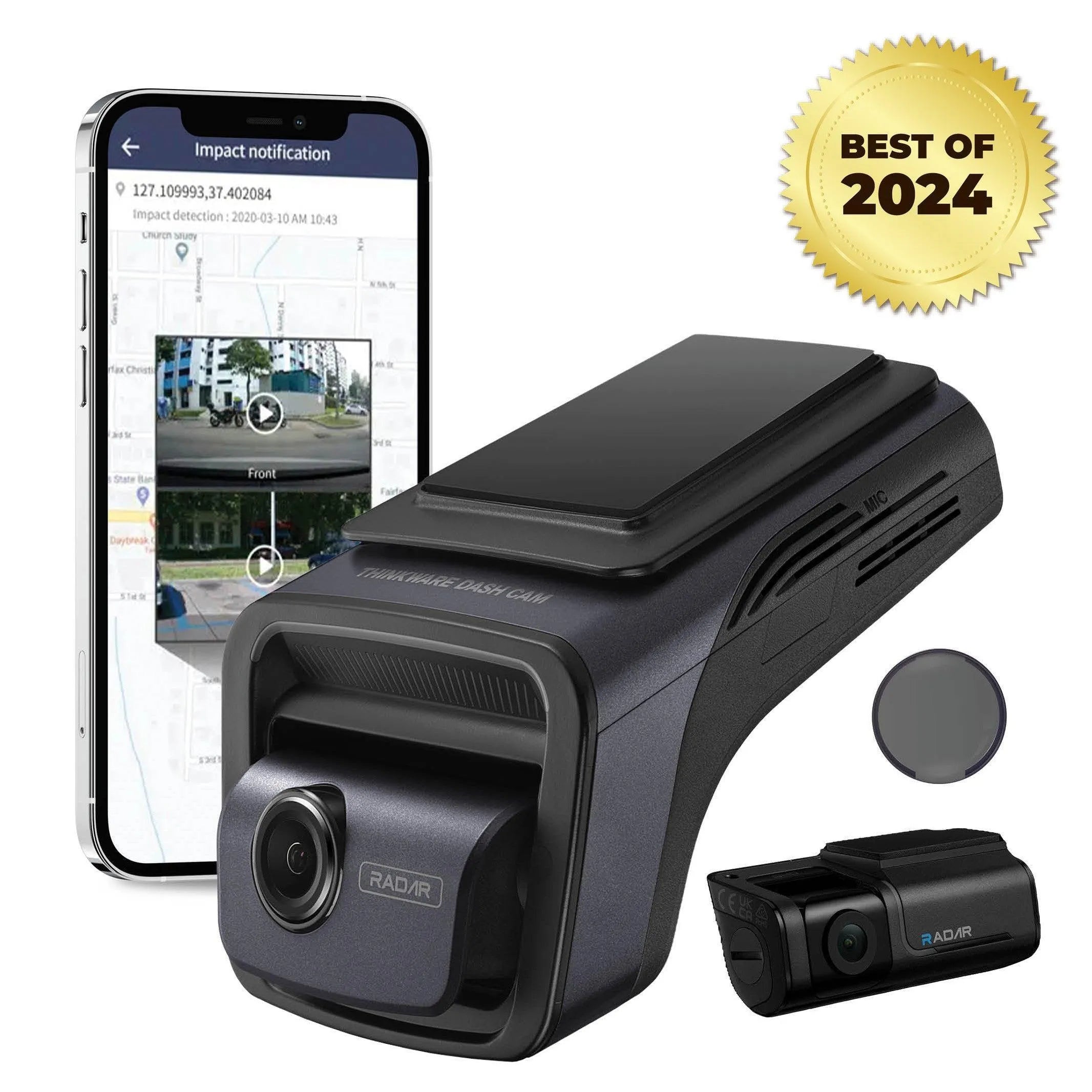

See the U3000 dual-channel listing for its current package and availability. The previous Signature Bundle and bonus-warranty offer are not included by this guide.
Our product experts can help you match the views, parking power and recording workflow to your vehicle. Tell us where you park and whether you need passengers, rear traffic or both in the recording. We will help you choose a setup for safety and peace of mind, on and off the road.