


BlackVue DR900S Long-Term Review
Our seven-month experience with BlackVue’s 4K dual-channel camera, plus practical advice for owners
What stood out after seven months
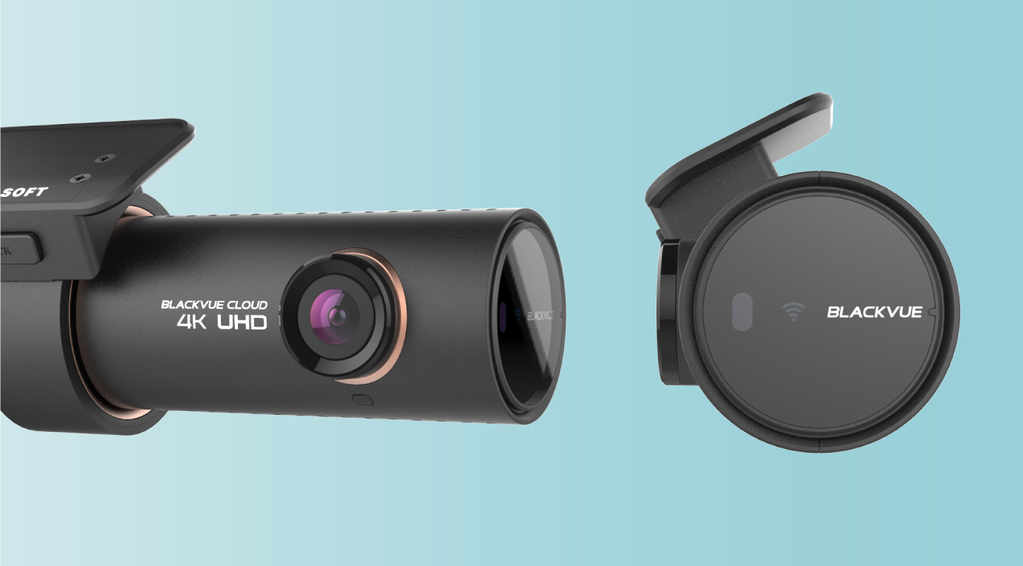
In our original long-term review, the DR900S-2CH was one of our best-selling cameras and a frequent recommendation. We liked the combination of detailed daytime video, a compact cylindrical design and phone access without a screen on the camera.
Our footage reviews favored its overall daytime clarity against the launch-era DR750S-2CH, Thinkware F800 Pro and BlackSys CH-200. In that comparison, we preferred the F800 Pro’s low-light image. Lighting, speed, distance and camera setup still determine what a particular recording reveals.
4K detail, with a separate 60 FPS option
The standard DR900S-2CH records 3840 × 2160 at 30 FPS in front and 1920 × 1080 at 30 FPS at the rear. Its alternative Full HD mode allows 60 FPS at the front, with 30 FPS at the rear. You choose between 4K detail and the higher front frame rate; this camera does not record 4K at 60 FPS.
The front uses an 8-megapixel CMOS sensor. The rear uses an approximately 2.1-megapixel Sony STARVIS sensor, with a 139° diagonal field of view versus 162° in front. The front 4K frame contains four times the pixels of Full HD, but pixel count and field of view alone do not guarantee a readable plate.
We found nearby vehicle detail crisp in daytime recordings. For a plate or another small detail, keep the original file and inspect it before sharing: messaging compression can make an otherwise useful recording harder to read.

Night recordings and firmware matter
We used the original Night Vision setting while parked and found it helpful in low light. BlackVue later changed the front camera’s option to HDR Night Vision in firmware 1.012, released June 10, 2019; the rear retained Night Vision. Do not treat a launch-era sample as a demonstration of that later firmware.
H.265 compression helps manage file size. If a phone or computer struggles to play it, the manual also permits H.264 for broader playback compatibility. Confirm a saved clip opens correctly before relying on it as your backup.
The video accompanying our DR900S long-term review. Settings and conditions in an individual recording affect the result.
5 GHz Wi-Fi made local downloads more convenient
Quicker downloads were one of the improvements we appreciated in daily use. The DR900S supports 802.11ac on 5 GHz as well as 2.4 GHz Wi-Fi. 5 GHz is a local Wi-Fi band, not 5G cellular service. The usable band depends on your phone and connection conditions.
For nearby playback and settings, connect your phone to the camera’s Wi-Fi using its own SSID and password, then use the BlackVue app’s model-appropriate connection path. The DR900S predates Bluetooth seamless pairing, so instructions for newer BlackVue models may look different.
If downloads or live view stop working, first separate a local Wi-Fi problem from a Cloud problem. Check that the camera is powered, Wi-Fi is enabled and the phone is connected to the intended camera network. A Wi-Fi connection to the camera does not itself provide internet access.
Parking recording needs power and a deliberate setup
With Automatic Parking Mode enabled, the DR900S changes to parking recording after the vehicle has been stationary for five minutes. It still needs power with the engine off. Our original setup discussion included a Power Magic Pro hardwiring kit or a BlackVue B-124 battery pack. Check the exact power accessory and vehicle installation: a normal socket may turn off with the ignition and does not by itself provide starter-battery protection.
Its voice guidance can help you confirm a mode change, but we recommend checking the saved parking clips as well. Choose the recording mode around where you park:
- Motion & Impact Detection: useful when you want triggered clips. The camera buffers several seconds before a detected motion or impact. Its selectable 4 × 4 motion grid can exclude busy areas such as moving trees; front and rear regions can be set separately.
- Time Lapse: useful for a quick overview of a busy parking area. It records one frame per second and plays at 30 FPS, compressing 30 minutes into a one-minute clip. A detected impact can still produce a buffered regular event recording. Time-lapse clips have no audio; event clips can include it.
BlackVue introduced these expanded modes for the DR900S with firmware 1.004 in August 2018. Its time-lapse and motion-region instructions explain the options. A lower recording rate saves card space; it is not a promise of longer battery runtime or uninterrupted recording in heat.
Protect an event, then make a separate backup
The manual allows up to 50 impact or manually triggered event recordings to be locked against loop overwriting, with protection disabled by default. The behavior when that space fills depends on the overwrite setting. In our review, we wanted clearer separation of parking, driving and manual events so an important incident would be easier to find; we passed that feedback to BlackVue.
A locked file is not a backup. Copy important clips off the card promptly. Formatting deletes all recordings, including locked events. The manual also warns that saving changes to time, resolution, image quality or segment length formats the card, so back up the recordings before making those changes.
Cloud access needs an internet connection at the vehicle
Remote access was another attraction of the DR900S. Its documented Cloud functions include remote live view, recorded-video playback, GPS location and speed information, and two-way voice communication through the camera’s microphone and speaker.
Those functions require the camera to remain powered and connected to the internet through a suitable Wi-Fi hotspot, in-car network or nearby Wi-Fi network, along with the relevant account and service support. If the hotspot is your phone, taking the phone away also takes that internet connection away.
For an existing DR900S, check BlackVue’s current model support and the features included in your account before planning around remote alerts, storage or fleet use. Local Wi-Fi playback and remote Cloud access are separate tasks. The built-in GPS can record driving location and speed, but the manual says GPS data is not recorded in parking mode.
Can you reuse a DR750S installation?
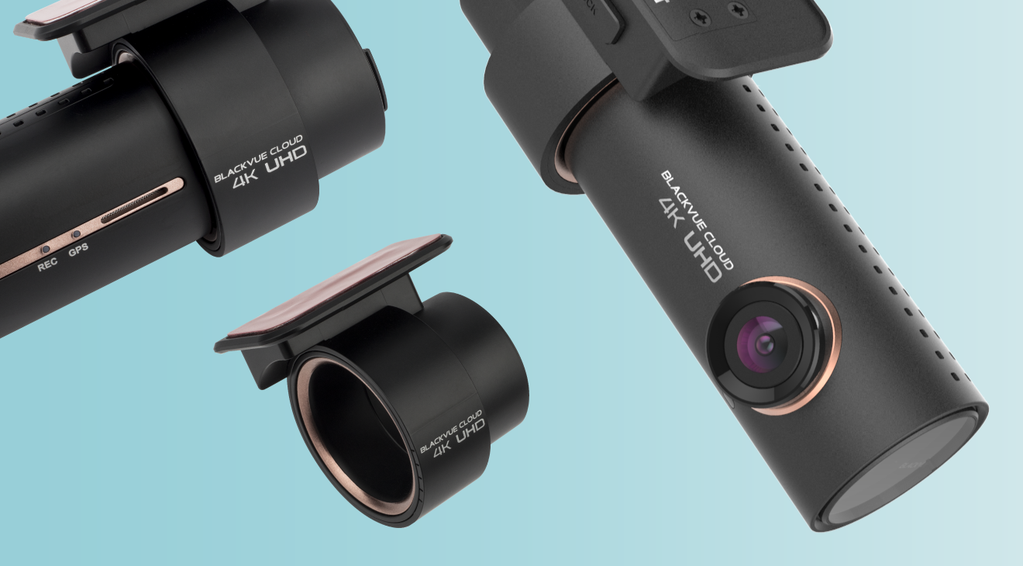
The similar shape is useful, but check each part. BlackVue’s DR900S accessory compatibility guide confirms the DR750S front mount, coaxial cable and standard DR750S-2CH rear camera can be reused with a standard DR900S-2CH. A DR650S front mount may look similar but does not fit properly. A DR900S-1CH has no rear-camera port.
For a newer model, check again: matching coaxial connectors do not prove rear-camera compatibility. BlackVue’s DR970X/DR770X accessory guide distinguishes reusable coaxial cables from incompatible older S-series power leads and rear cameras. We recommend sending the exact front and rear model labels and power-accessory name before ordering an upgrade.
If you are shopping for a replacement, browse our current BlackVue dash cams and compare the exact camera configuration you need.
Questions from DR900S owners
Should I replace a DR900S that still works?
Start with recent recordings from both cameras, including a night drive and a parked period. If the files are reliable and show the views you need, age alone does not decide it. An upgrade makes more sense when you need a specific improvement in detail, coverage or connectivity.
What should I check if it keeps restarting?
Save the recordings you need, then note whether restarts occur while driving, parked or in heat. Check the card against BlackVue’s model guidance, the installed firmware and the power connection. Ask for help if the cause is unclear; formatting first can erase the evidence you need.
Did firmware permanently solve overheating?
The original review welcomed firmware improvements, and later release notes include temperature-management changes and stability fixes. They do not guarantee recording in every parked-car condition. The manual lists an operating range of −20°C to 70°C and an approximate 75°C high-temperature cutoff; that cutoff is protection, not an ambient-temperature target.
Where do I find the right firmware and instructions?
Use the DR900S-2CH manual and exact-model firmware listing. Match the full model and language, back up recordings and follow the manufacturer’s preparation instructions. The DR900S, DR900X and DR900X Plus are different series.
Our verdict: check the footage and the setup
We liked the DR900S-2CH’s clear daytime 4K video, unobtrusive shape and useful parking features in our long-term review. For today’s owner, the strongest reason to keep it is simple: it still records dependable files with the coverage you need. Consider an upgrade when you can name a limitation you want to fix, such as detail, coverage or connectivity.
Tell us your camera model, vehicle, power accessory and what you would like to improve. We can help you work through the recording or plan an upgrade without guessing which existing parts will carry over.
Contact Us