


Upgrading from the VIOFO A119 V3 to the WM1
Work out which accessories to replace before you change cameras
Installation context: VIOFO A139 Pro pictured. The WM1 mounting illustration is below.
Choose the WM1 for the way you use it
If you own an A119 V3 and want a smaller camera without a screen, the original WM1 changes how you check footage and settings. Its local Wi-Fi lets you use a phone, and voice notifications can alert you to camera status. Those are useful everyday differences when you would rather leave the camera tucked near the mirror.
This is the original WM1, not the WM1S. It records front-facing 1440p video at 30 FPS using a Sony STARVIS IMX335 sensor. The A119 V3 is specified at 1600p at 30 FPS and uses the same sensor family. Moving to the WM1 is therefore not a resolution upgrade. The A119 V3 has a two-inch screen and no Wi-Fi; the WM1 has no screen, built-in GPS and 2.4 GHz Wi-Fi. Its spoken notifications are not voice commands.

Replace the camera power cable
The A119 V3 uses Mini-USB; the WM1 uses Type-C at its mount. Your old camera-end plug will not fit the WM1. Choose the complete WM1-compatible power cable rather than relying on a connector adapter.
For hardwired parking recording, VIOFO lists the Mini-USB HK3 for the A119 V3 and the Type-C HK4 for the WM1. The cable must provide the correct power and ignition-state signalling. A Type-C plug by itself does not establish that compatibility. Have a qualified installer review an existing hardwired installation before changing it. Do not splice or reuse wiring solely because the old camera powered on.
A separate vehicle-side USB supply or battery pack is a different question from the camera cable. Check its rated output and the complete connection with us before keeping it. Check the replacement kit’s contents before ordering extra parts.

Replace the mount, including any old GPS base
The WM1 uses its own adjustable adhesive mount. The A119 V3’s mounting plate, optional GPS base or model-specific suction mount does not become a WM1 mount. The WM1 has built-in GPS, so keep its camera and mounting system together.
Set the angle with the vehicle parked. Confirm that the lens has a clear view and the camera does not obstruct your driving view. A compact shape does not mean every position near a mirror or sensor housing is suitable.
Static windshield film is separate from the mounting bracket and its adhesive pad. It can provide a surface beneath an adhesive mount when used as directed, but it does not make the two brackets interchangeable. Use fresh, suitable mounting materials if the old film or adhesive is damaged, dirty or no longer secure. Check your kit for film rather than assuming it is included.

Choose the WM1’s CPL-200 filter
The A119 V3 takes the CPL-100 filter. The WM1 takes the CPL-200 filter, the front-filter family also listed for A229, T130 and A139 cameras. Do not transfer the A119 V3’s CPL-100 to the WM1.
A CPL can reduce dashboard and windshield reflections. Its effect changes with lighting, glass and angle, so it cannot promise glare-free footage or readable plates. Fit and adjust the model-specific filter as directed, then check a recording in the conditions where you drive. A filter is optional; it does not change the camera’s resolution.

Check the battery output before replacing the pack
You may be able to keep a dedicated dash cam battery pack, including our PowerCell 8. We created PowerCell 8 for dash cam power, but the camera output still needs to match the connected model. The part that needs changing may be the camera output cable rather than the battery itself. Confirm the exact pack, output lead and WM1 connection together. A pack that worked with an A119 V3 is not automatic approval for the same cable on a WM1.
Ask us to check the lead and parking-mode arrangement before connecting them. The original WM1 supports auto-event detection, time-lapse and low-bitrate parking recording; VIOFO specifies HK4 for its hardwired parking setup. Parking recording needs suitable continuing power and the correct switching arrangement. A cutoff can stop recording when its threshold is reached, and available recording time depends on the power source, camera settings and conditions. Ask us to estimate recording time for your complete setup.

What to keep and what to replace
On a small screen, swipe the table to read all three columns.
| Existing item | WM1 plan | Check before installation |
|---|---|---|
| Camera power cable / HK3 | Replace | WM1 Type-C connection; HK4 for its hardwired parking setup |
| A119 V3 mount or GPS base | Replace | Use the WM1 mounting system; inspect film and adhesive separately |
| CPL-100 filter | Replace if using a CPL | Select CPL-200 for the WM1 |
| Dedicated battery pack | May keep after checking | Exact output lead, power requirements and parking switching must match |
Know what the phone connection does
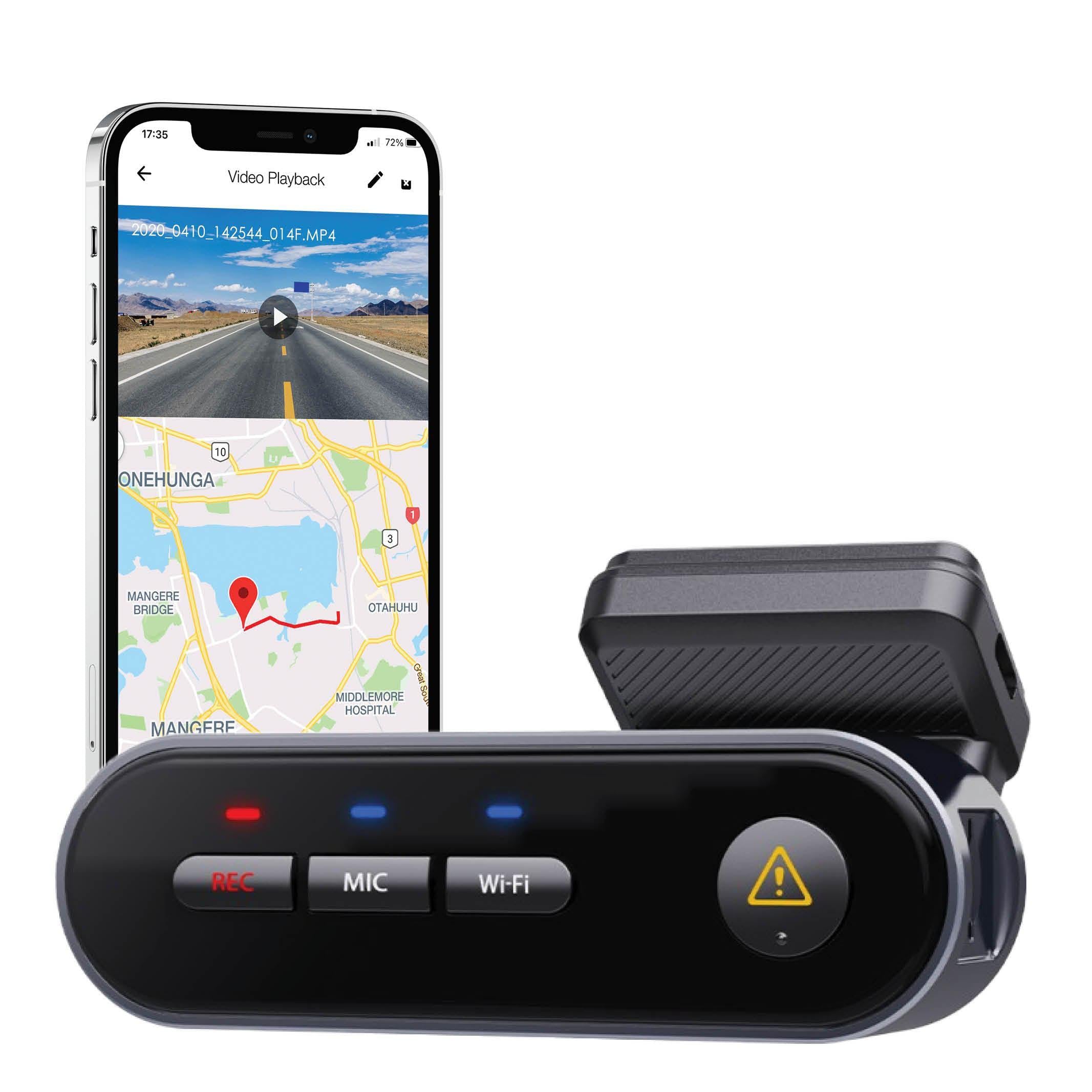
The WM1’s local Wi-Fi connection lets a nearby phone adjust settings, preview the camera and download recordings in the VIOFO app. Built-in GPS records location, speed and time data for supported playback. It is not an internet connection to a camera parked elsewhere.
Before removing the A119 V3, back up important recordings and note the power equipment already installed. Once the WM1 is fitted, check the lens view, a fresh recording and the transition into and out of the parking mode you intend to use. Do these checks while parked.
Plan the parts before you change cameras
Send us photos of your existing cable ends, mount and battery output label, along with the exact camera and battery model names. We can help you identify which parts are worth keeping and which need replacing. If you are choosing a current camera instead of maintaining a WM1 setup, browse our VIOFO dash cam range and tell us whether phone access, a screen or parking recording matters most.
Get help with your WM1 upgrade