


Dash Cam Battery Packs Vs USB Power Banks
Choose parking power with our advice on charging, runtime and camera compatibility

A separate power source for parking recording
A dash cam battery pack stores energy while you drive and supplies the camera after you park. With the correct switched charging connection, it separates that parking load from the vehicle’s starter battery. A USB power bank stores energy too, but its connectors, charging behavior and operating limits may not suit an installed dash cam.
We help you match the camera, battery-output cable and vehicle installation for parking coverage and peace of mind. Our BlackboxMyCar PowerCell 8 is the dedicated battery pack we created. To decide whether it fits your routine, we look at how long you park, how much you drive and how much power your camera uses.
| Check | Dedicated dash cam battery pack | USB power bank |
|---|---|---|
| Primary job | Supply an installed dash cam with the matched output cable | Supply supported USB devices; automotive use needs explicit manufacturer support |
| Charging connection | Vehicle input and permitted charge setting specified by the pack maker | USB input power and supported charging protocol vary by model |
| Parking-mode signal | Depends on the camera and the selected cable arrangement | A powered USB port alone does not establish the camera’s parking signal |
| Charging while in use | Designed charging/output arrangement must be installed as documented | Some models support pass-through under specific conditions |
| Capacity comparison | Compare watt-hours and actual camera load | Compare watt-hours at the stated voltage, not mAh alone |
| Temperature limits | Follow the manufacturer-stated limits for this specific pack | Follow the exact model’s limits; phone use does not prove suitability in a parked car |
On a small screen, swipe the table sideways to compare every column
Battery chemistry and temperature limits
Our PowerCell 8 uses lithium iron phosphate, usually written LiFePO4 or LFP. LFP belongs to the lithium-ion battery family. US Department of Energy explanation of lithium iron phosphate.
Chemistry alone does not tell you where a finished battery can be used. Its enclosure, charging electronics and specified limits matter. The PowerCell 8 manual warns against direct sunlight and storage in a hot vehicle. It says the pack stops charging or discharging if its internal temperature exceeds 80°C. That is a protective cutoff, not a normal operating target.
Before installation, choose a secure location allowed by the manual, away from water, heat sources and moving seat parts. The manual does not give separate ambient ranges for charging and discharging. The product listing gives an operating-temperature limit up to 158°F but does not separate those conditions. Use the manual or label supplied with your unit for its limits; if the charging or discharging conditions are unclear, ask us to help match the guidance to your setup. Stop using a battery that is swollen, damaged or producing an unusual smell, and contact support.

Charge time and repeated daily use
We recommend matching battery capacity to your daily driving as well as your parking time. Your driving time has to replace the energy used while parked. A large battery that starts each trip partly empty can run down over several days, even when the camera and charger are working correctly.
For our PowerCell 8, allow for the charging method when planning your driving time. The published charge estimates differ: The manual lists about 50 minutes at 9 A and about 100 minutes at 5 A. The product page says about 50 minutes hardwired or about 80 minutes through a 12 V socket, while the battery-pack installation guide says charging from empty through the cigarette socket takes about 90 minutes. Treat these charge times as estimates for the stated arrangements. Match the input cable and settings to the instructions supplied with your pack; we can help if you are unsure which arrangement applies. Starting charge and camera load also affect recharge time.
Use the permitted setting for the actual input cable and circuit. The manual calls for an ACC-switched charging supply. Check that charging stops when the vehicle is off and that the camera receives the intended parking-mode signal through its output connection. Choose the correct battery-output cable before ordering.
USB power banks do not all take overnight to recharge. Their capacity and accepted input power vary widely. Likewise, a quoted cycle count is not a promise of a fixed number of years: temperature, charging habits and use affect battery life.

How long will a battery pack run your dash cam?
Use watt-hours (Wh) to compare stored energy. A mAh figure needs its stated voltage to be meaningful: watt-hours = amp-hours × volts. Our PowerCell 8 manual lists 7.5Ah at 12.8V, which is 96Wh.
We start a runtime estimate by dividing watt-hours by the camera system’s power draw in watts. At a constant 4W, 96Wh ÷ 4W gives 24 hours. At 6W, the same arithmetic gives 16 hours. These are planning calculations before conversion losses, cutoffs or a partial starting charge, rather than measured runtime results.
The manual’s roughly 24-hour example is paired with a two-channel camera and a footnote that prints "4Wh" as its power-consumption unit. The unit is ambiguous as printed, so it should not be read as a confirmed 4W load. For planning, apply the camera’s stated or measured power draw to the 96Wh capacity above, then account for conversion losses, cutoffs and starting charge. A different camera, extra channels, Wi-Fi use or another connected load changes the estimate. Compare estimates only when the load and starting conditions match.
Our video introduces the PowerCell 8. For your own parking-time estimate, use the current documentation and the load calculation above; runtime and charge-time examples in the video are not guarantees for your setup.
When comparing our PowerCell 8 with the BlackVue B-130X or Cellink NEO, compare the exact capacity, camera load and charging method. The quoted runtimes for those packs use different examples, so we would not rank them by hours alone.
Power delivery, pass-through charging and monitoring
Match voltage, current and the parking trigger as well as the connector. Some cameras use a separate ACC signal to switch modes; others detect parking differently. We recommend following the instructions for your camera and its matched output cable, then checking an actual saved parking clip to confirm the setup.
Some USB power banks can charge while supplying another device. For example, Anker’s pass-through conditions for its 25K 165W power bank require at least 20W of input for that feature. Pass-through charging alone does not establish uninterrupted camera recording, an ACC signal or suitability for use in a hot vehicle.
Our PowerCell 8 manual rates the USB outlet at 5V, up to 2A. That rating covers power output; it does not establish USB 3 data speed, USB Power Delivery or laptop charging. Ask us about the accessory you want to connect, and include its extra load in your parking-time estimate.
Use the Cellink NEO Plus app for nearby Bluetooth battery monitoring, with readings for charge, temperature and power as described in the manual. The manual does not describe remote dash-cam Cloud video viewing.
For expansion, the Cellink NEO Extended Battery Pack and BlackVue B-124E are options to discuss with us for your specific battery. We need to match the exact unit version, approved connecting cable and supported arrangement; adding packs does not universally double, triple or quadruple runtime or make them compatible.
If you need more stored energy, our PowerCell 8 manual describes a Cellink Neo Extended arrangement. Before you add one, we can help match the exact expansion unit and connecting cable and review the revised charging needs. An expansion port does not make arbitrary brands or chains compatible. Our battery expansion guide explains the planning questions.
Should you use a USB power bank for a dash cam?
For regular parking recording, we recommend a dedicated pack with a charging input and output cable supported for your camera and vehicle. It gives you a separate source of parking power when installed with the correct switched charging connection. You still need enough driving time to recharge it. If your car sits unused for long periods, work out the energy requirement with us before buying extra capacity.
Before using a USB power bank from Amazon or another retailer, look for the exact manufacturer’s vehicle-use limits, output behavior at low load, charging conditions and camera requirements. If those are undocumented, we recommend a supported parking-power installation instead.
VortexRadar’s video discusses dedicated batteries and portable USB packs. Products and pass-through capabilities differ; use the model-specific documentation linked above when deciding on current equipment.
Choose your PowerCell 8 setup
Our BlackboxMyCar PowerCell 8 is a 96Wh LiFePO4 pack with separate vehicle and camera connections and nearby Bluetooth monitoring. We can help you choose its output cable for your exact dash cam and match the permitted charging arrangement to your vehicle.
You can find available options and price on the product page. For fitting guidance, start with our dash cam installation hub and parking-mode guide.
View PowerCell 8 options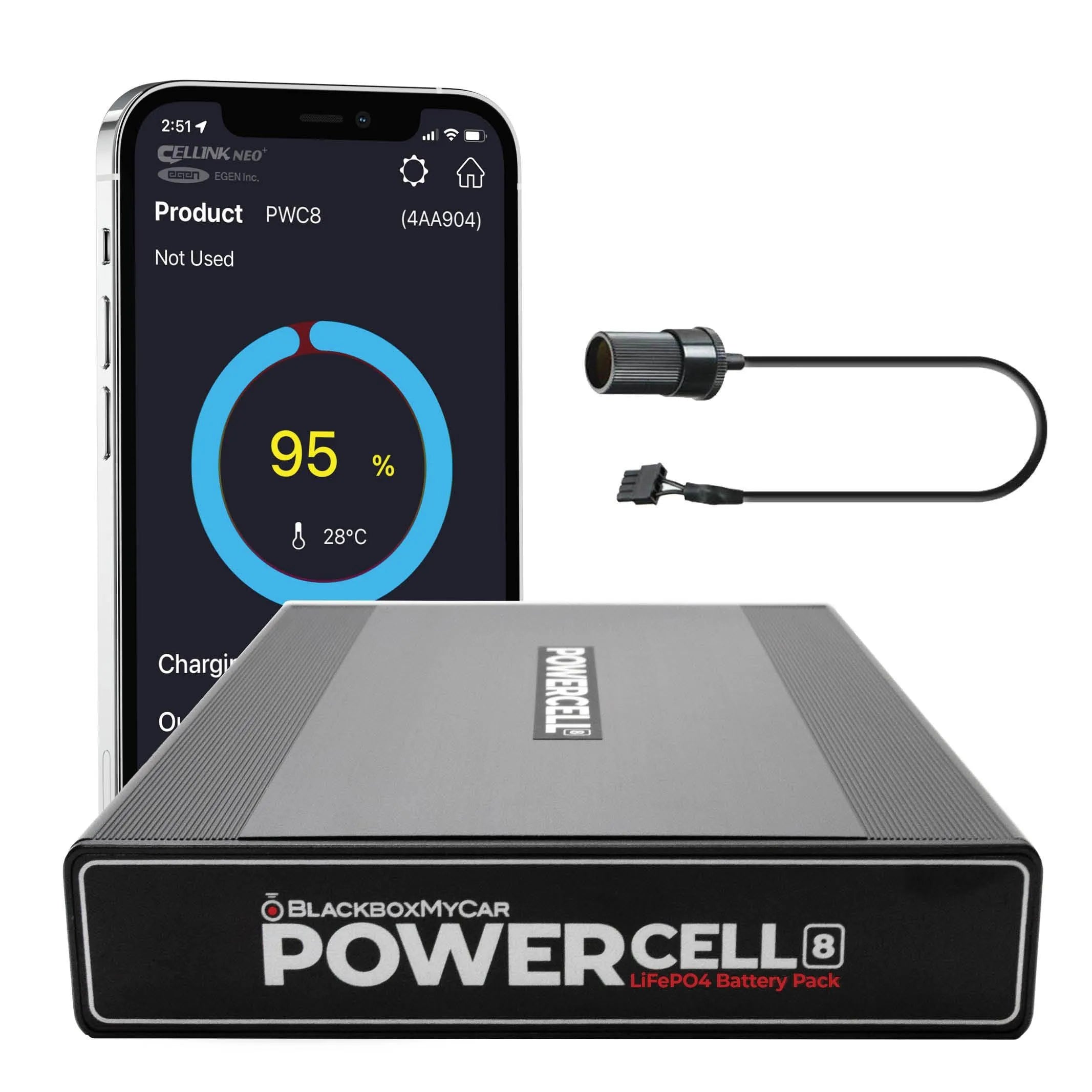
Battery documentation
Manufacturer and technical references
Get help matching your battery and camera
Tell us your dash cam model, vehicle year and model, usual daily driving time and how long you want parking coverage to last. Include any existing battery or cable model numbers. We will help you compare power arrangements and work through the installation requirements, so you can choose a setup with confidence.
Contact Us