


Are Dash Cam Battery Packs Worth It?
Choose parking power around your camera, commute and time away from the vehicle
Start with the parking hours you actually need
Parking mode needs power after you leave the vehicle. A dedicated dash cam battery pack stores energy while charging and supplies the camera when the vehicle’s charging input is off. That can reduce the dash cam’s parked load on the vehicle battery when the system is installed correctly.
We would start with three questions: how long are you parked, how much do you drive between stops, and which camera channels and parking mode will run? A low-power standby mode and continuous multi-camera recording can use very different amounts of energy. A powered hotspot adds another load.
| Your situation | What to consider | Check before buying |
|---|---|---|
| Short parking periods | A supported hardwire kit with a suitable cutoff may already meet your needs. | Vehicle battery health, actual recording duration and the vehicle’s electrical guidance. |
| Longer parking or frequent cutoff | A dedicated battery can move the camera’s parked load to a separate pack. | Camera demand, charging time, mounting space and compatible leads. |
| Very short trips | Daily energy use may exceed what the drive replaces. | Charge gained over your real commute, including repeated parking stops. |
| Remote Cloud use | Both the camera and its internet equipment need power. | Total load, output ratings, mobile coverage and the exact camera’s supported connection. |
What happens to the vehicle battery?
A starter battery has to preserve enough energy to start the vehicle and support its other electrical loads. Its condition, charge, temperature and the vehicle’s own systems all affect what is available for a dash cam.
Sulfation is a lead-acid battery issue associated with prolonged low charge or undercharging. It is too broad to say that any dash cam use, or every discharge and recharge, necessarily damages the battery. Follow the vehicle and battery manufacturer’s guidance, particularly if you already have weak-starting symptoms or a low-battery warning.
With a correctly installed dedicated pack, the dash cam draws its parked power from that pack. The charging input must behave as the pack’s manual requires. Connecting it to an always-on supply can continue drawing from the vehicle battery and defeat the isolation you wanted.

Our goal is a setup that gives you useful recordings while respecting the vehicle’s electrical limits. A battery pack does not repair a worn starter battery or guarantee that the vehicle will start.
Can a higher voltage cutoff do the same job?
A hardwire kit’s cutoff stops the camera when its monitored voltage reaches the selected threshold. A more conservative setting may preserve more starting reserve, but it can also shorten parking recording. A cutoff reduces discharge; it cannot guarantee a successful start in every battery condition or temperature.
If the camera already stops before you return, first check the battery’s health, the selected mode and timer, and the charging conditions. Do not simply lower the cutoff to chase more recording hours. Our hardwiring guide explains the connection considerations; a qualified installer should select a vehicle-approved circuit and appropriate protection.


For PowerCell 8, use the specified ignition-switched charging input and the matching charging mode. A socket that stays live after parking is not equivalent to an ignition-switched socket. Check the actual vehicle behavior, including any delayed shutoff, before relying on it.
Will a short commute recharge a battery pack?
It can replace some energy, but whether it replaces enough depends on the charging method and what was used while parked. Do not turn a 15-minute journey into a promised number of recording hours. Several short stops can leave the pack progressively less charged.
The current PowerCell 8 manual gives nominal full-charge times of about 100 minutes at the 5 A LOW socket setting and 50 minutes at the 9 A HIGH hardwired setting. Those are different input arrangements, not interchangeable speed choices. Use HIGH only with the approved hardwired installation, leads and protection.
Check the app’s charge and estimated runtime before parking, then compare it with the saved recordings after your usual parking period. Treat the estimate as planning information. Camera load, number of channels, recording mode, temperature and accessories can change the result.
If you need to charge away from the vehicle, ask us about a supply explicitly approved for your exact pack. If you are considering a Power Inverter, ask us to confirm the exact power source and charging arrangement; do not assume it is a wall-outlet charger.
What about summer heat and installation location?
LiFePO4 chemistry does not make a battery safe at any temperature. Keep the pack out of direct sunlight and follow its storage, charging and operating instructions. A shaded mounting location can still become hot inside a parked car.
Secure the pack where the manual permits, with the required ventilation and clearance. Keep it away from seat mechanisms, pedals, airbags, moisture and heat sources. Do not assume that every under-seat or trunk location is suitable.
Thermal protection is a last line of protection, not a temperature to aim for. The camera can also change mode or stop recording because of its own temperature limit even while the battery still has charge. Check both devices separately.

Stop using a damaged or swollen pack and follow the manufacturer’s service instructions. Do not use a thermal shutdown or a hot-car experiment as a way to test the system.
Can a USB power bank replace a dash cam battery?
Compare the exact products and connection requirements. USB power banks differ in chemistry, ratings and features; some support pass-through charging. It is incorrect to say that none can charge and supply a device at the same time.
Pass-through alone does not establish that a power bank is suitable for unattended use in a hot vehicle or that it provides the signal your camera needs to enter parking mode. Confirm the manufacturer’s permitted environment, continuous output, input limits, cable and parking-mode behavior.
A dedicated dash cam battery system is designed around vehicle charging and a compatible camera output. For a routine installation, use the dash cam manufacturer’s approved battery-output or hardwire arrangement. A connector that fits does not prove the voltage, polarity or ACC behavior is correct.
Compare usable energy and actual load, not just the biggest mAh label. Compare charge-cycle and runtime figures only when their test conditions match. We would not rank PowerCell 8, Cellink NEO and BlackVue B-130X by hours quoted for different cameras or recording modes.
Six questions owners ask
How can a dedicated pack protect my vehicle battery?
It can supply the camera separately while parked when its charging input switches off as specified. An always-on input can still draw from the vehicle battery. Confirm the installation rather than assuming the pack alone guarantees isolation.
Can I just use a high cutoff on my hardwire kit?
Possibly, if the actual recording period meets your needs and the vehicle permits the setup. A conservative cutoff can shorten recording. It does not promise a start with an unhealthy or undercharged battery.
Is a short drive enough to recharge the pack?
Check the charge gained on your real route against the energy used between drives. Nominal full-charge time does not make charging percentage or recording hours scale neatly with each minute driven.
Do I need one if I park for less than six hours?
Not automatically. If your supported hardwire setup covers that period and your battery remains healthy, a separate pack may add little value. It is more useful when you need to move the parked load away from the starter battery or extend your practical recording window.
Is it safe in Texas or Florida summer heat?
Check the actual pack’s temperature instructions and mounting requirements. Outdoor air temperature does not establish the temperature of a pack in a parked car, and thermal protection is not permission to exceed its limits.
Can I use a cheaper USB power bank?
Only if the exact power bank, environment and camera connection are supported. Check more than pass-through or connector shape. A dedicated vehicle system is usually easier to assess against the camera’s routine parking requirements.
Our PowerCell 8 and the complete setup
We created our PowerCell 8 as a dedicated LiFePO4 power source for dash cam parking setups. It is manufactured by EGEN Inc. Choose the input lead and camera output arrangement for the exact vehicle and dash cam.
Bluetooth monitoring lets you check battery status, temperature and current information in the supported app. Its estimated runtime helps with planning; confirm the actual recordings and remaining charge after your own drive-and-park cycle.
If you use the USB output for a compatible hotspot or another device, check its power requirements and the battery’s output rating. Include that device in the total load. A USB output does not guarantee enough power, data service or runtime for every accessory.
Use the current PowerCell 8 manual for charging connections, modes and expansion instructions.
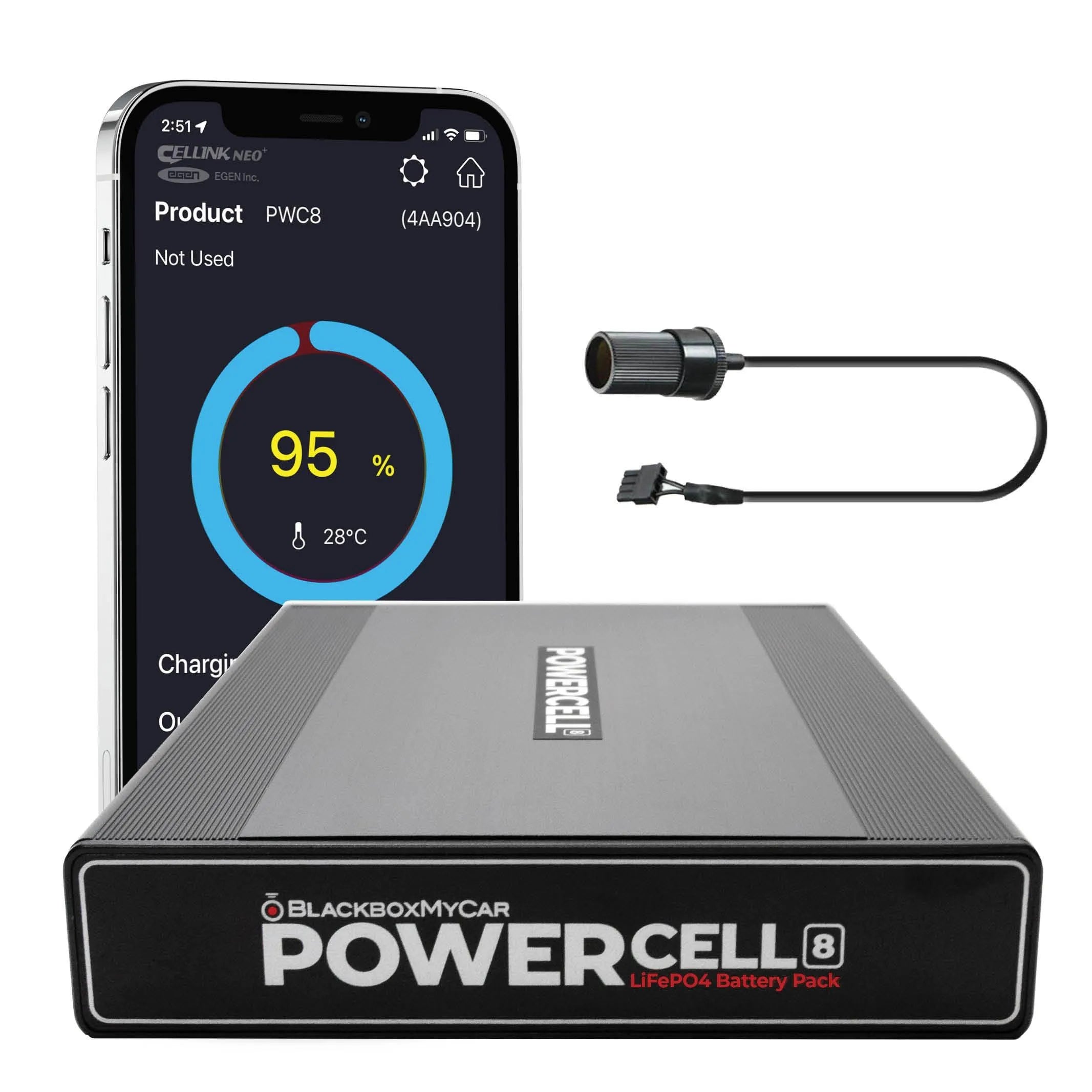
Before ordering an expansion pack, confirm the exact battery, expansion model, cable and current compatibility instructions. The current PowerCell 8 manual identifies NEO Extended support; ask us to verify other combinations rather than relying on an older B-124E reference.
Tell us your vehicle year and model, exact dash cam, parking mode, usual driving and parking periods, and any hotspot you want to power. We can help you choose the leads and charging arrangement, then check the first full drive-and-park cycle using actual files and battery status.